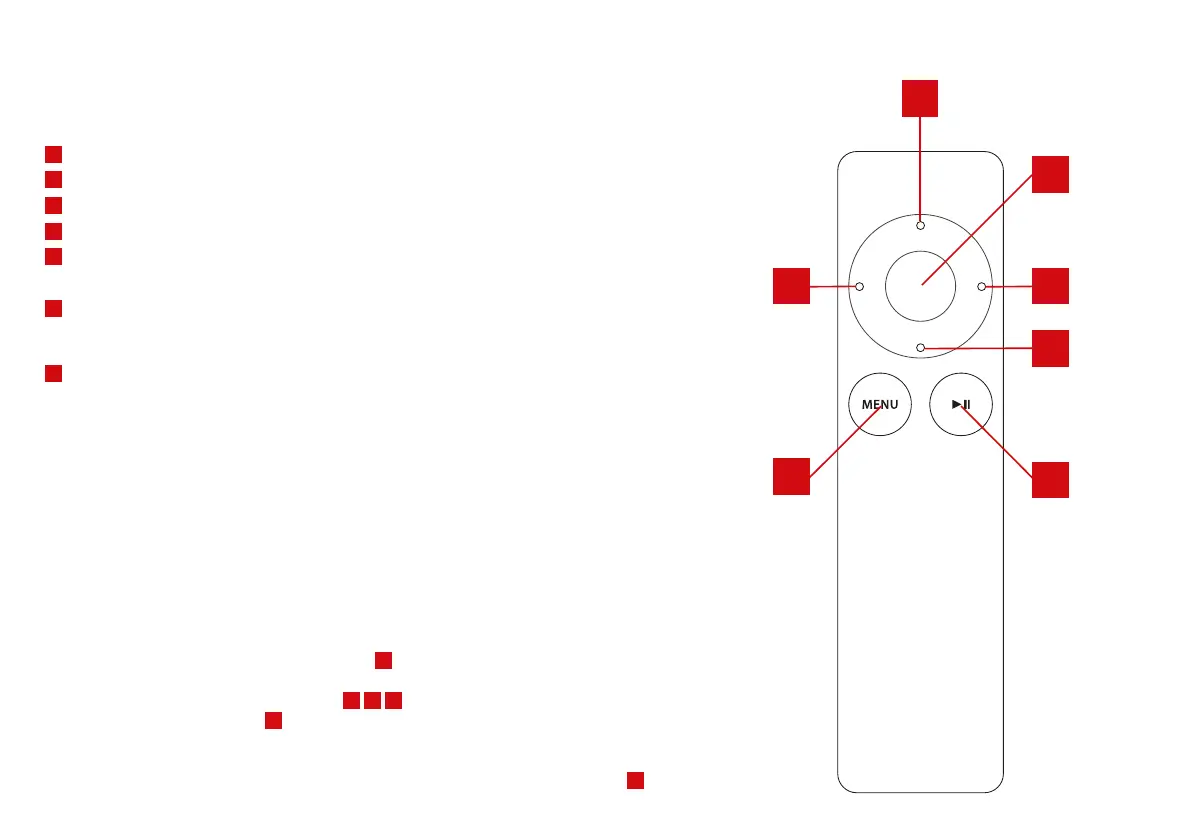
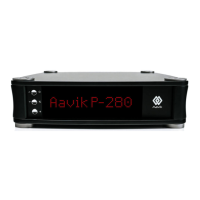
A
VOLUME UP, Press this button to increase the volume setting.
B
VOLUME DOWN, Press this button to decrease the volume setting.
C
INPUT +, Press this button, to move to the next input. From Line 1 to Line 2 etc.
D
INPUT -, Press this button, to move to the previous input. From Line 2 to Line 1 etc.
E
STANDBY, Press this button to place the amplifier in standby mode, or to switch the amplifier
on from standby mode.
F
MENU, Use this button to enter the menu, or switch back to normal operation. Use the INPUT +
and INPUT - buttons to cycle through the menu, and the VOLUME UP and VOLUME DOWN buttons
to change a setting. See “MENU FUNCTIONS” for details.
G
MUTE
Press the button to mute the outputs of the amplifier, the display will show ”mute”.
Pressing the button again will reactivate the outputs of the amplifier.
FACTORY RESET
You can reset all settings back to factory defaults. This will erase gain settings, the balance setting
and the remote pairing settings. To do this, proceed as follows:
• Switch off the amplifier at the main power switch
12
• Wait 30 seconds
• Press and hold the three front panel buttons
2
3
4
• Switch on the main power using
12
, while still holding the front panel buttons
• All LED indicators on the front panel will switch on, and stay on
• After approx. 8 seconds the LED indicators will switch off again.
• Release the front panel buttons, and switch off the amplifier using the main power switch
12
REMOTE
A
D C
E
F
G
6
B
REMOTE CONTROL PAIRING
Please see ”MUTE/REMOTE CONTROL PAIRING BUTTON” on page 4.



 To Next Page