Connecting to a Computer via HDMI
11
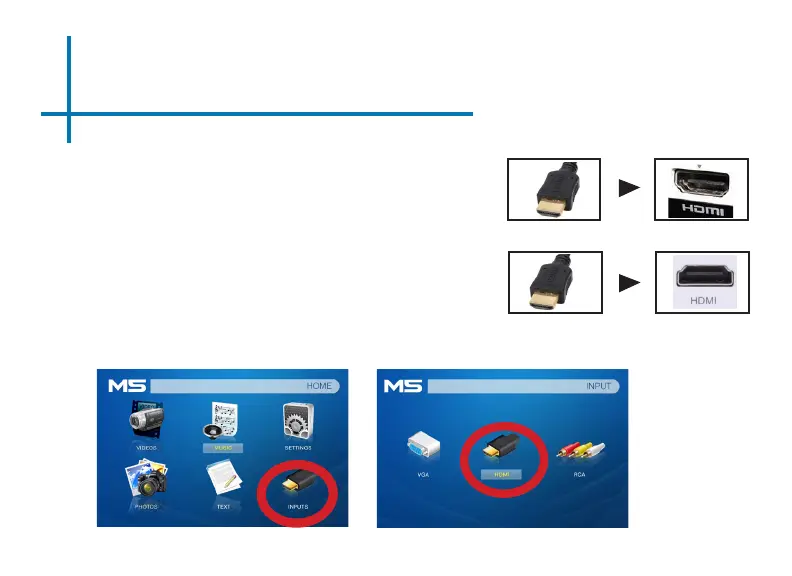
Connect one end of the HDMI Cable
to your computer’s HDMI Adapter.
Step 1:
Step 2:
Step 3:
In the Main Menu Select the “Inputs” icon and then the “HDMI” Icon.
Connect the other end of the HDMI
Cord to your M5’s HDMI port.
Select “INPUT” icon Select “HDMI” icon















 To Next Page