EasyManua.ls Logo

AAXA Technologies M6 - Remote and Keypad Operation; Remote Control Functions; Projector Unit Controls; Standby Mode Note

AAXA Technologies M6
45 pages
Print Icon
To Next Page IconTo Next Page
To Previous Page IconTo Previous Page
Loading...
Remote & Keypad
2
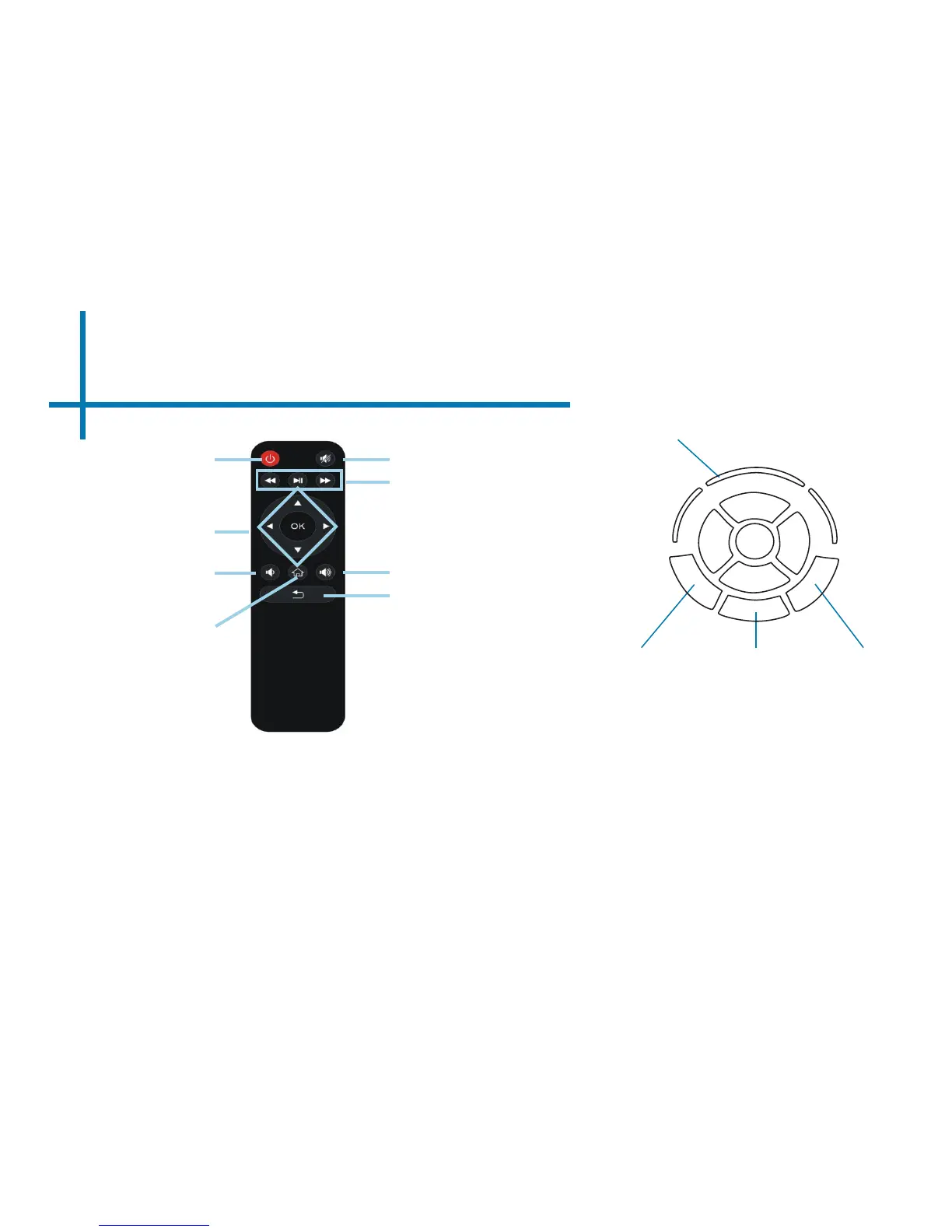
NOTE: Pressing power on the remote will only put the projector in STANDBY mode.
Toggle the “ON/OFF” switch on the side of the projector to fully turn the projector
off.
Power On/Off
Mute
Input Exit/Back
Direction Pad
Both the keypad and remote can be used to navigate through the menus. The Main Menu
Navigation on the remote functions exactly the same as the directional pad on the M6 unit.
On / Off
LED Lights
OK
Main Menu
Navigation
Media Player
Menu Navigation
Volume Up
Volume Down
Remote
*Keystone function is not available.
Home
Back

Related product manuals