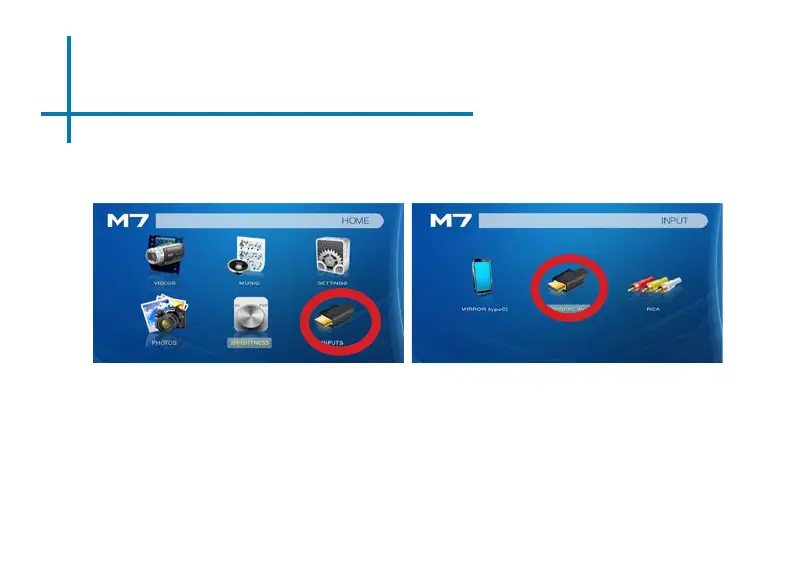
Connecting to a Device via Digital AV
20
Select “INPUT” icon
Select “Digital AV” icon
Connectivity to Multimedia Devices
The M7 can connect to many media devices including: computers, laptops,
iPhones, iPads, DVD players, smart phones, cameras, video game consoles and
other peripherals with ease.
*Some smartphones & devices require video out capabilities and adapters to be displayed with the M7. Check with your
phone manufacturer.
In the Main Menu
The M7 has a Digital AV port for ultimate connectivity exibility. A digital AV cable
is required to connect your M7 to your other device.















 To Next Page