3
Contents
Step 1: Verify that the correct replacement drive has been chosen. .................. 4
Step 2: Record existing parameter settings........................................................ 5
Step 3: Deactivate the system ............................................................................ 5
Step 4: Remove and lockout all power from the ACH400. ................................. 5
Step 5: Remove the cover from the bypass unit. ............................................... 6
Step 6: Verify removal of all dangerous voltages. ............................................. 7
Step 7: Verify the version of the bypass control board. ..................................... 7
Step 8: Remove the Control Panel from the drive. ............................................. 7
Step 9: Remove the front cover from the drive. ................................................. 8
Step 10: Disconnect the Power Wiring. .............................................................. 8
Step 11: Disconnect customer installed control wiring. ...................................... 9
Step 12: Disconnect factory installed control wiring. .......................................... 9
Step 13: Remove the ACH400 drive................................................................. 10
Step 14: Clean up the installation area. ............................................................ 11
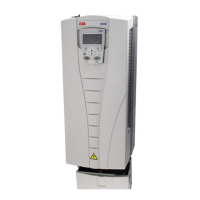
Step 15: Prepare the new ACH550 for installation. .......................................... 11
Step 16: Mount the new ACH550. .................................................................... 11
Step 17: Reinstall the Power Wiring. ................................................................ 15
Step 18: Reinstall the new control cable. ......................................................... 15
Step 19: Reinstall the customer’s control wires. .............................................. 16
Step 20: Reinstall the ACH550 cover and Control Panel. ................................ 16
Step 21: Reinstall the option mounting bracket. .............................................. 17
Step 22: Reinstall the bypass unit cover........................................................... 18
Step 23: Reapply power to the unit. ................................................................. 20
Step 24: Verify that the signals and status are correct. .................................... 20
Step 25: Adjust the new drive’s programming. ................................................. 20
Step 26: Test the unit ....................................................................................... 21
Step 27: Drive Replacement Complete! ........................................................... 21
Parameter Conversion List ................................................................................. 22


 To Next Page