STANDARDS CONFORMITY
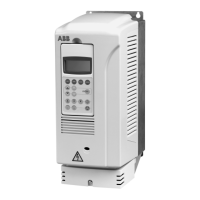
An ACS250/ACS255 (115V-480V Variant) fitted with this Option
complies with the Following standards:
• CE-marked for Low Voltage Directive.
• IEC 664-1 Insulation Coordination within Low Voltage Systems.
• UL 840 Insulation Coordination for electrical equipment.
• EN50081-2 EMC Generic Emissions Standard, Industrial Level.
• EN50082-2 EMC Generic Immunity Standard, Industrial Level.
• Enclosure ingress protection, EN60529 IP00, NEMA 250.
• Flammability rating according to UL 94.
User Guide
All rights reserved. No part of this User Guide may be reproduced or
transmitted in any form or by any means, electrical or mechanical
including photocopying, recording or by any information storage or
retrieval system without permission in writing from the publisher.
© 2013 ABB Oy, ALL Rights Reserved
The manufacturer accepts no liability for any consequences resulting
from inappropriate, negligent or incorrect installation.
The contents of this User Guide are believed to be correct at the time of
printing. In the interests of a commitment to a policy of continuous
improvement, the manufacturer reserves the right to change the
specification of the product or its performance or the contents of the
User Guide without notice.
SAFETY
This option is specifically designed to be used with the
ACS250/ACS255 variable speed drive product and is intended for
professional incorporation into complete equipment or systems. If
installed incorrectly it may present a safety hazard. The
ACS250/ACS255 uses high voltages and currents, carries a high level
of stored electrical energy, and is used to control mechanical plant that
may cause injury. Close attention is required to system design and
electrical installation to avoid hazards in either normal operation or in
the event of equipment malfunction.
System design, installation, commissioning and maintenance must be
carried out only by personnel who have the necessary training and
experience. They must read carefully this safety information and the
instructions in this Guide and follow all information regarding transport,
storage, installation and use of the Option module, including the
specified environmental limitations.
Please read the IMPORTANT SAFETY INFORMATION below, and all
Warning and Caution boxes elsewhere.
CAUTION
• Store the Option in its box until
required. It should be stored in a
clean and dry environment.
Temperature range –40
o
C to
+60
o
C.
• Install the Option by inserting the
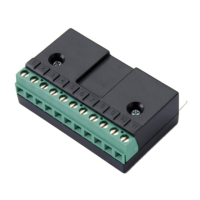
row of 11 pins into the terminal
connector of the ACS250/ACS255
ensuring that the terminals are
tightened.
• If the Option is being used with
Size E1, care should be taken to
support the Option when the
terminal screws of the Option are
being tightened or loosened.
WARNING
• The ACS250/ACS255 and the
Options should be installed only
by qualified electrical persons and
in accordance with local and
national regulations and codes of
practice.
• Electric shock hazard!
Disconnect and ISOLATE the
drive before attempting any work
on it. High voltages are present at
the terminals and within the drive
for up to 10 minutes after
disconnection of the electrical
supply.
• Where the electrical supply to the
drive is through a plug and socket
connector, do not disconnect until
10 minutes have elapsed after
turning off the supply.
ACS250/ACS255 (115V-480V Variants)
RELAY OUTPUT
OPTION CARD
SAFETY NOTICES
WARNING is given where there
is a hazard that could lead to
injury or death of personnel.
CAUTION is given where there
is a hazard that could lead to
damage to equipment.
It is the responsibility of the
installer to ensure that the
equipment or system into which
the product is incorporated
complies with the EMC
legislation of the country of use.
Within the European Union,
equipment into which this
product is incorporated must
comply with 89/336/EEC,
Electromagnetic Compatibility.
ABB Oy
AC Drives
P.O. Box 184
FI-00381 HELSINKI
FINLAND
UK
www.abb.com/drives
Part No. 3AUA0000135609
Model No. RCRO-01
Document No. 3AXD10000706812
Literature Fulfilment Part No. ACS255-PNMU03U-EN_REVA
WARNING
Within the European Union, all
machinery in which this product
is used must comply with the
Machinery Directive
2006/42/EC, Safety of
Machinery. In particular, the
equipment should comply with
EN60204-1.


 To Next Page
 General