EasyManua.ls Logo

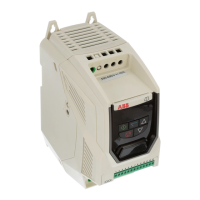
ABB ACS255 - User Manual

ABB ACS255
62 pages
Print Icon
To Next Page IconTo Next Page
Loading...
ABB Micro drives
User’s manual
ACS255 drives (0.5…20 hp) (600V Variants)

Table of Contents

Other manuals for ABB ACS255

Questions and Answers

  • S
    Scott WellsAug 21, 2025
    Why does ABB Controller trip on overload after exceeding parameter 9906?
    • G
      Glenn PerryAug 21, 2025
      The ABB Controller trips on overload after exceeding 100% of the value in parameter 9906 for a sustained period. To resolve this, check when the decimal points are flashing (indicating an overload) and either increase the acceleration rate or reduce the load. Verify that the motor cable length is within the specified limit. Ensure the motor nameplate parameters are correctly entered in parameters 9905, 9906, and 9907. If operating in Vector mode (Parameter 9903 – 0 or 1), also check the motor power factor in parameter 9915 and ensure an autotune has been successfully completed for the connected motor. Also, check the load mechanically to ensure it is free from jams, blockages, or other mechanical faults.
  • J
    Jessica BallAug 23, 2025
    How to fix heatsink over temperature on ABB Controller?
    • J
      joseph45Aug 23, 2025
      To resolve a heatsink over temperature issue on your ABB Controller: * Check the drive's ambient temperature. * Ensure the drive's internal cooling fan is working. * Verify that the required space around the drive is maintained and the cooling airflow isn't restricted. * Reduce the effective switching frequency setting in parameter 2606. * Reduce the load on the motor/drive.
  • C
    Clifford EspinozaAug 26, 2025
    What causes over voltage on DC bus in ABB Controller?
    • D
      davidvasquezAug 26, 2025
      Over voltage on the DC bus in an ABB Controller is generally caused by excessive regenerative energy being transferred from the load back to the drive. If the fault occurs on stopping or during deceleration, increase the deceleration ramp time 2203 or connect a suitable brake resistor to the drive. If operating in Vector Mode, reduce the speed loop gain in parameter 2301.
  • M
    Mr. Anthony CowanAug 27, 2025
    How to troubleshoot hardware over current on ABB ACS255 Controller?
    • K
      Kimberly HarrisAug 28, 2025
      To troubleshoot a hardware over current issue on your ABB Controller, check the wiring to the motor and the motor itself for phase-to-phase and phase-to-earth short circuits. Disconnect the motor and motor cable and retest. If the drive trips with no motor connected, it must be replaced, and the system fully checked and retested before installing a replacement unit.
  • M
    mary42Aug 29, 2025
    What to do if there is under voltage on DC bus in ABB Controller?
    • J
      John ColemanAug 29, 2025
      If under voltage occurs on the DC bus of your ABB Controller during running, check the incoming supply voltage and all connections into the drive, including fuses and contactors.
  • J
    Jose MitchellSep 1, 2025
    Why did autotune fail on my ABB ACS255?
    • A
      Angela NunezSep 1, 2025
      Autotune may fail on your ABB Controller if the measured motor stator resistance varies between phases. Ensure the motor is correctly connected and free from faults. Check the windings for correct resistance and balance.
  • J
    Jorge CortezSep 3, 2025
    How to resolve brake channel over current in ABB ACS255 Controller?
    • C
      Chelsea LutzSep 3, 2025
      To resolve a brake channel over current issue in your ABB Controller, ensure the connected brake resistor is above the minimum permissible level for the drive – refer to the ratings shown in section 11.2. Check the brake resistor and wiring for possible short circuits.
  • M
    mkimSep 5, 2025
    What to do when ABB ACS255 Controller exceeds maximum torque limit?
    • L
      Levi StephensonSep 5, 2025
      If your ABB Controller exceeds the maximum torque limit, reduce the motor load, or increase the acceleration time.
  • G
    Gina ContrerasSep 7, 2025
    How to fix Modbus comms fault on ABB ACS255?
    • K
      Kathleen MillerSep 7, 2025
      To address a Modbus comms fault on your ABB Controller, check that the network master/PLC is still operating and inspect the connection cables. Increase the value of parameter 3019 to a suitable level.
  • W
    William HammondSep 9, 2025
    What to do if the cooling fan fails on ABB Controller?
    • P
      Phillip NelsonSep 9, 2025
      If the cooling fan fails on your ABB Controller, check it and replace it if necessary.

Summary

Declaration of Conformity

STO Function

Details on the Safe Torque Off function compliance.

Electromagnetic Compatibility

EMC compliance categories and requirements.

2. Safety

Safety in installation and maintenance

Safety instructions for installation and maintenance tasks.

Safety in start-up and operation

Safety guidelines for starting up and operating the drive.

5. Electrical Installation

Grounding and EMC Compliance

Proper grounding and EMC installation practices for the drive.

Wiring Precautions and Power Connection

Important wiring precautions and incoming power connection instructions.

Drive and Motor Connections

Connecting the drive to the motor and thermal protection.

Control Terminal Wiring and Connections

Wiring control terminals and connection diagram details.

5.10. Safe Torque Off (STO)

Information about the Safe Torque Off (STO) function.

6. Managing the Keypad

Keypad Layout and Function

Explains the drive keypad buttons and their functions.

Changing Parameters

Step-by-step guide to changing drive parameters.

Resetting Parameters to Factory Default Settings

Procedure to reset drive parameters to factory defaults.

7. Quick Start-up and Control

Quick Start-up Terminal Control

Guide for initial setup using terminal control.

Quick Start-up Keypad Control

Guide for initial setup using keypad control.

8. Application Macros

Macro wiring configurations

Wiring diagrams for various application macro configurations.

9.4. Parameters in the Long parameter mode

2102 STOP MODE

Selection of drive stop modes (ramp, coast).

22 ACCEL;DECEL

Parameters for acceleration and deceleration ramp times.

53 COMMUNICATIONS PARAMETERS

Parameters for drive communication settings.

99 START-UP DATA

Motor setup data parameters.

9.5. Preventing unauthorized parameter editing

Locking Parameter Access

Steps to lock parameter access.

Unlocking Parameter Access

Steps to unlock parameter access.

10. Serial communications

Modbus RTU Communications

Information on Modbus RTU communication protocol.

Modbus Control & Monitoring Registers

List of accessible Modbus registers for control and monitoring.

11. Technical Data

Input;Output Current ratings and fuses

Current ratings, fuse recommendations, and cable sizes.

12. Appendix: Permanent magnet synchronous motors (PMSMs)

PMSM Motor nameplate data entry

Key parameters for PMSM motor setup.

PMSM Motor Auto-tune

Procedure for performing PMSM motor auto-tune.

Troubleshooting

Common issues and corrective actions for PMSM motors.

13. Troubleshooting

Fault messages

List of fault codes, descriptions, and corrective actions.

ABB ACS255 Specifications

General IconGeneral
Product TypeAC Drive
TypeACS255
Communication OptionsModbus RTU
Protection ClassIP20
IP RatingIP20
Overload Capacity150% for 60 seconds
BrakingIntegrated braking chopper
AltitudeUp to 1000 m without derating
Input Voltage200 to 480 V
Supply Voltage200 to 480 V
Frequency range48 to 63 Hz
Control MethodScalar control
CommunicationModbus RTU
Operating temperature-10°C to +50°C
Storage temperature-40 to +70 °C
Humidity5 to 95% non-condensing

Related product manuals