EasyManua.ls Logo

ABB AquaMaster 3 FET200 - User Manual

ABB AquaMaster 3 FET200
44 pages
Print Icon
To Next Page IconTo Next Page
Loading...
User Guide OI/FET200–EN Rev. I
AquaMaster 3 FET200
Electromagnetic flowmeter
Transmitter
The smart solution for
remote applications
Introduction
AquaMaster 3
TM
is a range of high performance
electromagnetic flowmeters for the measurement of
electrically-conductive fluids and is normally supplied as
factory-configured, calibrated systems.
This User Guide provides end-user details for
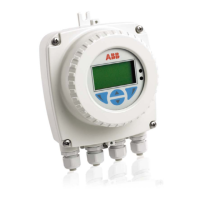
AquaMaster 3 close-coupled and remote transmitters.
When the meter is taken out of storage and installed for
first use, remove the protective label (if fitted) from the
front to enable light to activate the unit.
If the meter is not powered, connect any batteries or
external supply as detailed in this manual.
For a comprehensive overview of publications available
for the AquaMaster 3 transmitter, refer to the inside
cover of this publication. Web links, QR code and
reference numbers are also included.

Table of Contents

Question and Answer IconNeed help?

Do you have a question about the ABB AquaMaster 3 FET200 and is the answer not in the manual?

Summary

Safety Information

Electrical Safety Compliance

Equipment compliance with electrical safety standards for measurement devices.

Safety Symbols and Labels

Explanation of warning and safety symbols found on the equipment.

Health and Safety Precautions

General safety guidelines for product operation and handling.

Installation and Maintenance Warnings

Mechanical Installation Guide

Installation Conditions and Siting

Guidelines for proper installation environment and siting of the transmitter.

Fitting Vandal-Resistant Housing

GSM-Equipped Transmitter Features

GSM Antenna Installation Guide

Guidelines for optimal mounting location and installation of the GSM antenna.

Connecting a Remote GSM Antenna

Installing a SIM Card

Step-by-step guide for inserting a SIM card into the transmitter.

Electrical Installation

Grounding Arrangements

Diagrams and notes on grounding methods for the transmitter.

Electrical Connections Overview

Input;Output Connections

Input;Output Connector Pinout

MODBUS Communication

MODBUS 2-Wire Connection

MODBUS Termination Resistor

Power Supply Options

Fitting;Replacing Internal Batteries

Step-by-step guide for replacing internal batteries in integral transmitters.

External Battery Power Supply

Mains Power Supply Connection

Details for connecting the transmitter to mains power supply.

Renewable Energy Supply

Start-Up and Operation

Initial Start-up Procedure

Steps to follow for first-time start-up of the AquaMaster3.

Display Activation

Display Information and Annunciators

Explanation of display elements and warning annunciators.

Servicing Plugs and Sockets

Product Specifications

Telemetry Applications (GSM;SMS)

Logger Details and Capacity

GSM-Equipped Units Safety Precautions

Summary

Safety Information

Electrical Safety Compliance

Equipment compliance with electrical safety standards for measurement devices.

Safety Symbols and Labels

Explanation of warning and safety symbols found on the equipment.

Health and Safety Precautions

General safety guidelines for product operation and handling.

Installation and Maintenance Warnings

Mechanical Installation Guide

Installation Conditions and Siting

Guidelines for proper installation environment and siting of the transmitter.

Fitting Vandal-Resistant Housing

GSM-Equipped Transmitter Features

GSM Antenna Installation Guide

Guidelines for optimal mounting location and installation of the GSM antenna.

Connecting a Remote GSM Antenna

Installing a SIM Card

Step-by-step guide for inserting a SIM card into the transmitter.

Electrical Installation

Grounding Arrangements

Diagrams and notes on grounding methods for the transmitter.

Electrical Connections Overview

Input;Output Connections

Input;Output Connector Pinout

MODBUS Communication

MODBUS 2-Wire Connection

MODBUS Termination Resistor

Power Supply Options

Fitting;Replacing Internal Batteries

Step-by-step guide for replacing internal batteries in integral transmitters.

External Battery Power Supply

Mains Power Supply Connection

Details for connecting the transmitter to mains power supply.

Renewable Energy Supply

Start-Up and Operation

Initial Start-up Procedure

Steps to follow for first-time start-up of the AquaMaster3.

Display Activation

Display Information and Annunciators

Explanation of display elements and warning annunciators.

Servicing Plugs and Sockets

Product Specifications

Telemetry Applications (GSM;SMS)

Logger Details and Capacity

GSM-Equipped Units Safety Precautions

ABB AquaMaster 3 FET200 Specifications

General IconGeneral
DisplayLCD with backlight
TypeElectromagnetic flowmeter transmitter
Communication ProtocolsModbus
Operating Temperature-20°C to +60°C
Flow Range0.03 to 10 m/s
Outputs4-20 mA, pulse, frequency
ProtectionIP68
Storage Temperature-40 to +70 °C
MaterialStainless Steel
Accuracy±0.2% of rate

Related product manuals