33
1SDH000760R0002, L4106
Installation and operating instructions, ATS022
8.2.3.4 Device confi guration
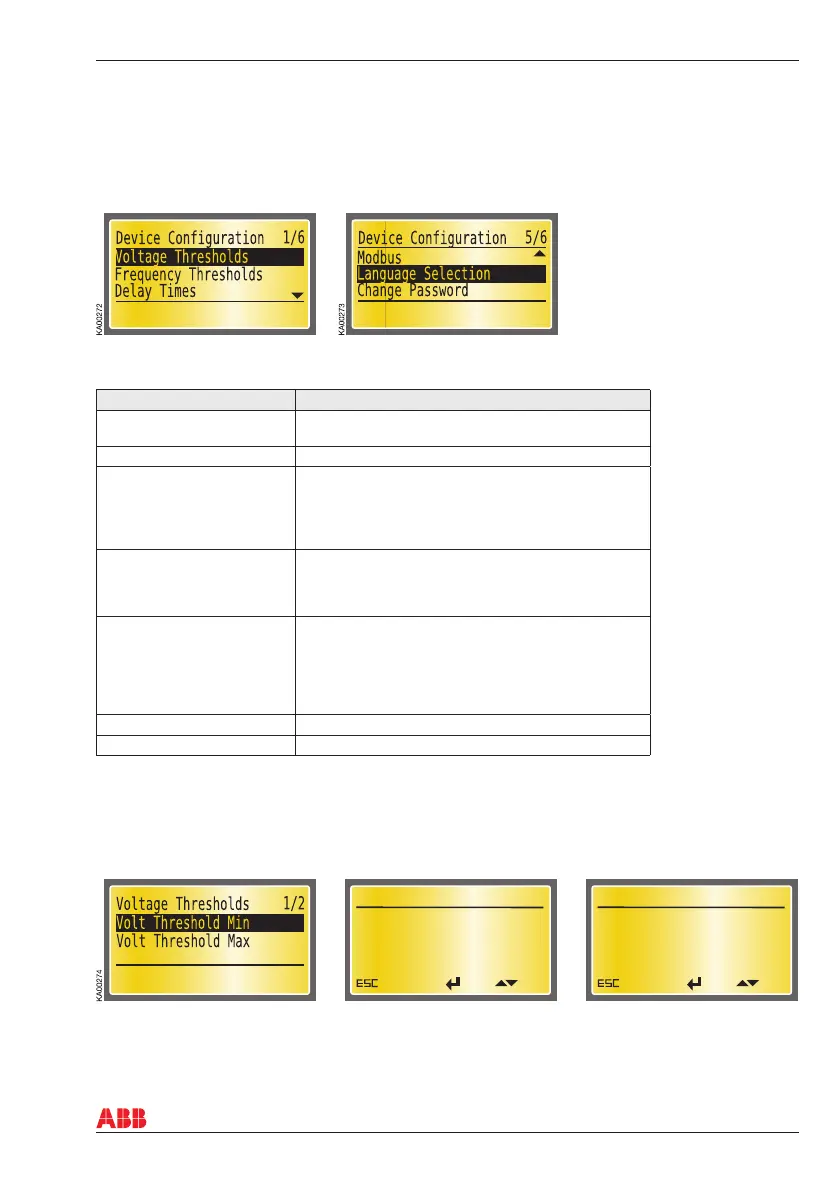
In this sub-page you can set the threshold of all monitored parameters and the time delay, see the table
8.3. You can change the password in this subpage. The password consists of four numbers, and is
chosen with the arrow and enter keys. For all other attributes you can select and change the value by
using the UP, DOWN and ENTER keys.
+15 %
Cancel
Ok
Edit
Volt Threshold Max
KA00392
-15 %
Cancel
Ok
Edit
Volt Threshold Min
KA00391
Attribute Values
Voltage Thresholds -30% …-5%, +5% … +30%, step ± 1%
(unbalance is set to same level)
Frequency Thresholds -10% … -1%,+1% … +10%, step ± 1%
Delay Times Delay TS, 0…30s
Delay TCE, 0…60s
Delay TBS, 0…30s
Delay TCN, 0…60s
Delay TGOFF, 0s, 1s, …59s, 1min, 2min, …, 5min
Modbus Modbus Address
Modbus Baud Rate
Modbus Stop Bits
Modbus Parity
Language Selection English
Francais
Italiano
Espanol
Suomi
Deutch
Change password Four numbers
Retype new password Four numbers
8. Using automatic transfer switch ATS022
Table 8.3 Attributes and values for the Device Confi guration
Voltage Thresholds
User can set voltage thresholds both minimum and maximum values. Factory settings are min -15% and
max 15%.
Figure 8.15 ATS022 confi guration, requires a password
Figure 8.16 Voltage Threshold, factory settings: min -15%, max 15%



 To Next Page