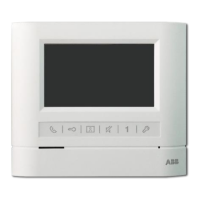
Operation
instructions of
MEMORY
indoor phone
...
CM-06DNRV3 Indoor phone
,------
--+-
®
®
®
®
@
@
@
(j)
@---
@----
®--
@--
®--
@---~
---------
-=
......
2.Display:
When the RECORD indicator is on, that tells there is no read image. While the screen
works and push DISPLAY button, users can read the image. The display time is 5
seconds. Ifusers do not read the next images by pushing DISPLAY button, the display
will elose in 5 seconds.
I.Manual!Auto button:
The button is a switch. The memory function can be turned on/offby pushing it.
The default is auto status (the indicator is on). Every time a visitor calls, the indoor
phone will record an image (the same when surveying).
Ifyou
don't want to record
images, please turn it
offby
pushing the button.
3.Adjust:
Push MONITOR button to switch on the screen. Push ADJUST TIME button, then the
minute position will flash. At this moment push DISPLAY button and you can adjust
the minutes. Push ADJUST TIME button again, then the hour position will flash. At this
moment, push DISPLAY button and you can adjust the hours. The rest like year, month
and day may be deduced by analogy. (Note:
Numbers
cannot
be
reduced
while
adjusting.)
4.Memory capacity
The memory capacity is up to 32 images.
Ifthe
image quantity is over 32pcs, the latest
images will cover the oldest images, one by one. That means image No. 33 will cover
number I, No. 34 will cover No. 2. The rest may be deduced by analogy.
~
(DDisplay
IDisplays visitor's image
~
®Loudspeaker
Indoor phone voice comes out
fromhere
~
®Talk
Button
Press the button can talk with the
callin side
~
@Call
Button
Press this button for internat
broadcasting call
~
@Monitor
Button
Press this button to supervise
door station
~
®Talk
Indicator
Press "Talk" button,light on or off
~
(@Ring
type
IRing: three options
~
@Brightness
Adjuster
I
Brightness
Adjuster
~
@Chroma adjuster
IAdjust contrast or chroma
~
@RingVolumeAdjuster
IAdjust the ring volume
~
(j)Unlock
Button
IDuring conversation press
it
to
unlock
~
@Talk
Volume
Adjuster
IAdjust the conversation volume
~
@Power
Indicator
IPower works while it is on
~
©Microphone
ITalk to door station


 To Next Page
 Loading...