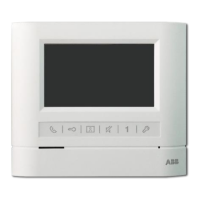
.... Video
Indoor
Phone(hand-free)
CM-06DNG2Adoor station with
card
reader
Inside structure
@
®
®
®
®
(@
@
CD
-+
-t-.--
@
@
CM-06DNRVI
1- - - - - - -
----@
®
®
CD
@
@
~
®
~
CD
Display
IDisplays visitor's image
~
@Loudspeaker
Indoor phone voice comes out
fromhere
~
®Talk
Button
Press the button can talk with the
callin side
~
@Call
Button
Press this button for internal
broadcasting call
~
®Monitor
Button
Press this button to supervise
door station
~
®Unlock
Button
During conversation press it to
unlock
~
(1)Mute Button
While there is noisy at the door
station, press it to keep visitor's
voice only.
~
@Talk
Indicator
Press "Talk" button,light on or 0
~
@)Busy
Indicator
IBusy while it is on
~
@Microphone
ITalkto door station
~
@Brightness
Adjuster
IBrightnessAdjuster
~
@ContrastiChroma adjuster
IAdjust contrast or chroma
~
@RingVolumeAdjuster
IAdjust the ring volume
I.Login
the
ID cards: Open the back cover
ofthe
door station(see the above picture), press
the "Logi
n"
button, the indicator turn green, it means that it is on the login status. Close
the ID card to the telepathy area, the indicator turn yellow and hear a long indicate sound,
it means that the ID card login succeed.
Ifyou
hear two short sound, it means that the ID
card was login already before or the deposited is full. Youcan elose the different cards
continue, then press the " Login" button again to exit the login status.
(Remarks: (1) it can login 30 pcs ID
cards
at most.
(2)How to separate the ID
card
was login already before or
the
deposited is
full:
When
you
hear
two
short
sound,
try
to login
other
ID
card
continue,
if it comes two
short
sound again, it means
that
the
deposited is full,
but
if
it can login
other
ID
card
succeed, it means
that
the
ID
card
was login
already before.)
2.Logout
the
ID cards: Press the " Logou
t"
button, the indicator turn green, it means that it
is on logout status. Close the ID card to the telepathy area, the indicator turn yellow and hear
a long indicate sound, it means that the ID card logout succeed.
Ifyou
hear two short sound,
it means that it is a new cards and still have not login. Press " Logou
t"
button again to exit
the logout status.
3.Cancel
an
the ID
cards
message, please do as following step:
CD
Tum offthe power.
@Open the back cover and inner cover(see the attached picture), connect the pin to DEL
terminal on ffi2.
® Tum on the power.
® Tum offthe power again, return the pin to NO terminal again.
®After finished the above steps, all the original message was cancel.
~
@Power
Indicator
IPower works while it is on
~
@Talk
Volume
Adjuster
IAdjust the conversation volume



 To Next Page
 Loading...