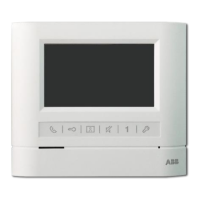
T Video
Indoor
Phone(handset)
T CM-06DNRH-M Memory Indoor Phones
--+....:,:-
- (D
j..-/
@
----@
-
~
(1)
~
® Contrast Button
Press this button to adjust contrast,
I I
@@
~
(7)
Adjust time Button
IFor adjust date and time
~
® Brightness Button
Use this button to adjust brightness
Contrast Button
QJ)
. .
@
Press this button to survey entrance
@--
Displays visitor's image
~
® Call Button
Pick up the handset,Press this
button for Internal call
~
CD
Display
~
® Monitor Button
CM-06DNRM
~
(f)Power Indicator
IPower works while it is light
~
@Talk
Indicator
Press "Talk" button,light on or
off
CM-06DNRG
CD
@--
®
@-
...--
(;N
- @
@-
@
@-
I
~
~
----i
-
®
@-
Display visitor's image
~
®Monitor
Button
Press this button to supervise
situation
of
entrance
~
CDDisplay
~
®CaU Button
ick up the handset, Press this
utton for internal call
~
®Brightness Button
Use this button to adjust brightness
~
@Unlock Button
During conversation press it to
unlock
~
®lHandset
IUsed to answer the call
~
@UnlockButton
During conversation press it to
unlock
~@Handset
IUsed to talk to caller
~
®Contrast
Button
Use this button to adjust contrast
~
@)RingVolume Adjuster
IAdjust the ring volume
~
@Manual-Auto Button
Press this button for video
record / termination
ofvideo
record
~
@Display Button
Press this button to display images
@Manual-Auto Indicator
Indicator lights under automatie
model;
Indicator is
offunder
manual model.
@Record
Indicator
Indicator lights, means that
there are un-read images


 To Previous Page
 Loading...