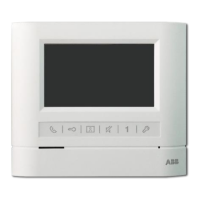
....Video
Indoor
Phone(hand-free)
CD
(f)
®
:C+
if-
-
I
@
EioOl:lS-- I@
CM-06DNS7
®
~
---'L.C
'-----
(f)
'
""-"
~
""---
-
CD
@
®
'--------@
CM-06DNS6
~
@Name
card
areal
Card
reader area
I
Name card area/Card reader area I
~
® Loudspeaker
I Indoor phone voice comes out from here I
~
(J)LED sensor
Automatically control LED according
to illumination
~
®
Indicator
Normal status is red,
setting status is green,
card reading status is yellow
~
@Power Indicator
I Light will be on all the time
~
®Name
plate
I
Hostname
~
@CaUbutton
I
Press this button to call indoor phone
~
@Microphone
I
Talk with indoor phone
~
CDCameraIPin hole camera
Built-in infrared LED (not for pin
hole camera)
-F=
::;-- (J)
@
CD
@
@
- l=
::::::'
_ ®
CM-06DNK
_
t--'it
l---CD
___
~_
ffi-
- -{:2
[
'----------t
E--
-
~
~~------{6
rr::
~
~,@
I
H+:-
+--'®
I
++t
rt-H-C
1--
- 1
CD
1..I.:.::
] (
""tt
+--
I
@
~:::::::::::
~
-
,
@
CM-06DNS2
~
:ij
~
~---
@
@
CM-06DNDl
CM-06DND2
CM-06DNS4
CM-06DNG2A
....Door Station
CD
@
®
(J)
@
CM-06DNRV6
©
®
@
@
~
@ContrastiChroma Button
Use this button to adjust contrast or
chroma
~
<®Brightness Button
I Use this button to adjust brightness I
~
@Talk
VolumeAdjustor
I Adjust the conversation volume
~
@Ring VolumeAdjustor
I Adjust the ring volume
~
®Talk
Indicator
I Press "Talk" button,light on or
o
~
~@Ringtype
I Ring: three options
~
@Movable Cover
Indoor phone voice comes out
fromhere
During conversation press it to
unlock
~
@Monitor
Button
Press this button to survey
entrance
~
®Microphone
I Talk to door station
~
(1)Display
I Display visitor's image
~
@Talk
Button
Press the button can talk with the
calling side
@
®-+-.::.'
....
-
@)-
@-
,
@-
@--
~
®Call
Button
Pick up the handset,Press this
button for internal call
~
@Uni-talkButton
While there is noisy at the door
station, press it to keep visitor's
voice only
~
@Power Indicator
I Power works while it is on
CM-06DNRI
~
C:VUnlock
Button


 To Next Page
 Loading...