USER MANUAL | ICOS | INSTRUCTIONS | UM/ICOS-EN REV. B.2
9. In the
Wireless Setting
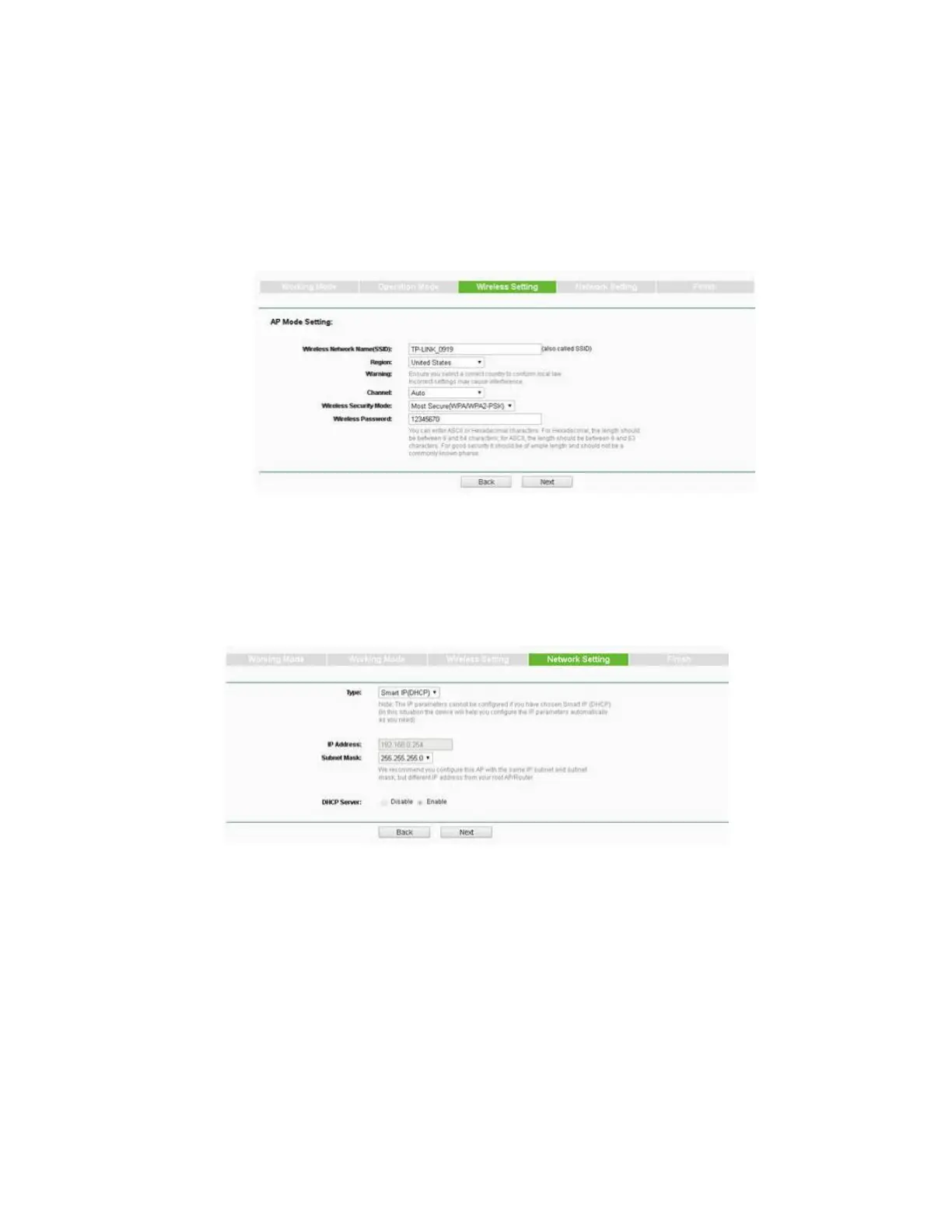
screen, do one of the following: (Figure 52)
To keep the default
Wireless Network Name
and/or
AP Wireless
Password
, click Next.
To change the default
Wireless Network Name
and/or
AP Wireless
Password
, change the names in the
Wireless Network Name
and/or
AP
Wireless Password
fields, then click Next.
Figure 52: Wireless Setting Screen
10. In the
Network Setting
screen, click Next. (Figure 53)
Figure 53: Network Setting Screen
11. Click Finish.
12. Restart the analyzer.


 To Next Page