USER MANUAL | ICOS | INSTRUCTIONS | UM/ICOS-EN REV. B.2
Connect Analyzer to Local Network
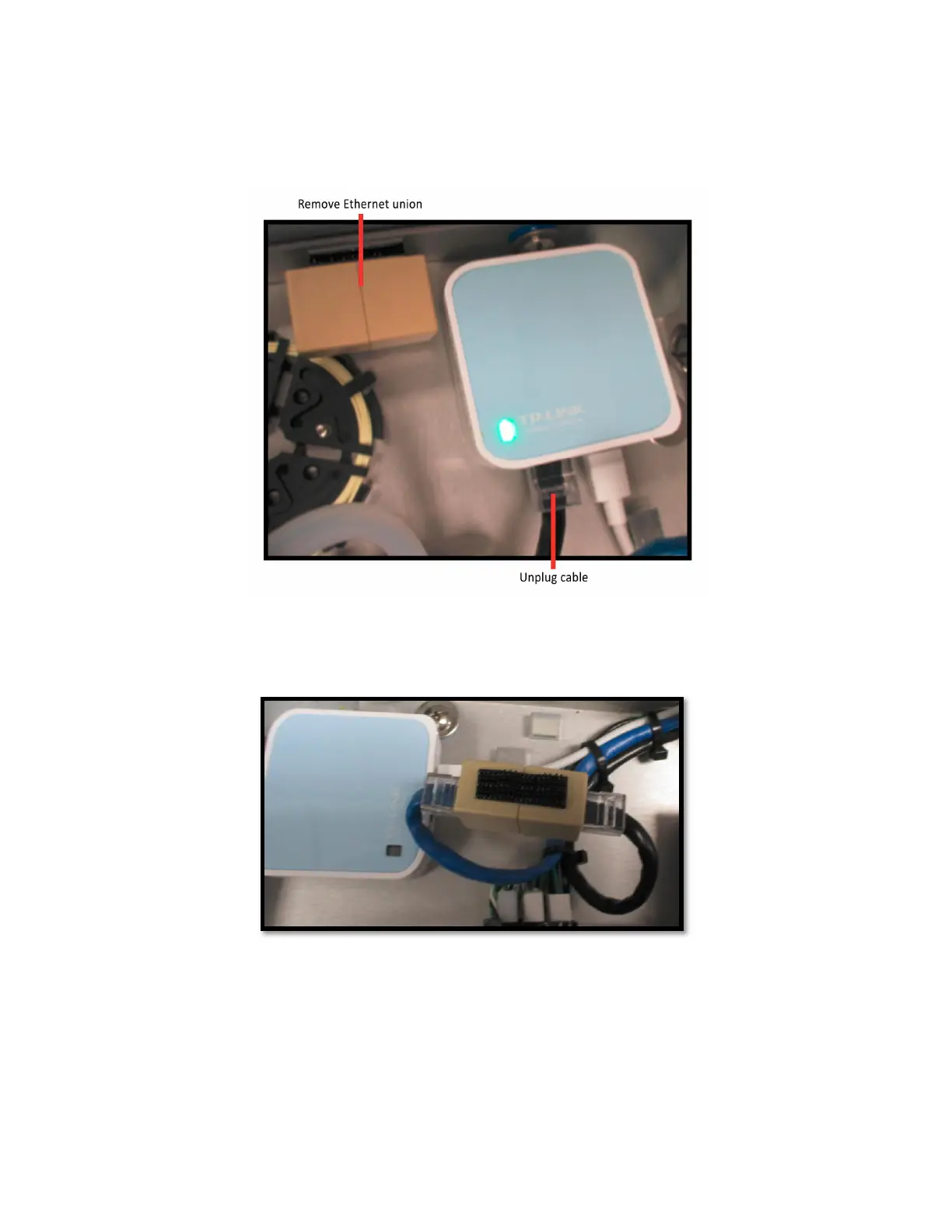
1. Unplug the black cable from the router
LAN/WAN
port. (Figure 54)
Figure 54: Unplug Cable and Remove Ethernet Union
2. Remove the Ethernet union (next to the router). (Figure 54)
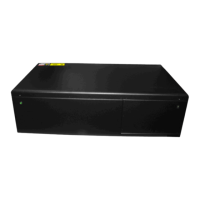
3. Plug the black cable into either port of the Ethernet union. (Figure 55)
Figure 55: Plug Cables into Ethernet Union
4. Plug the blue cable into the other port of the Ethernet union. (Figure 55)
5. Connect a local area network (LAN) cable from an external computer to the
analyzer Ethernet port, located on the external side panel.


 To Next Page