43
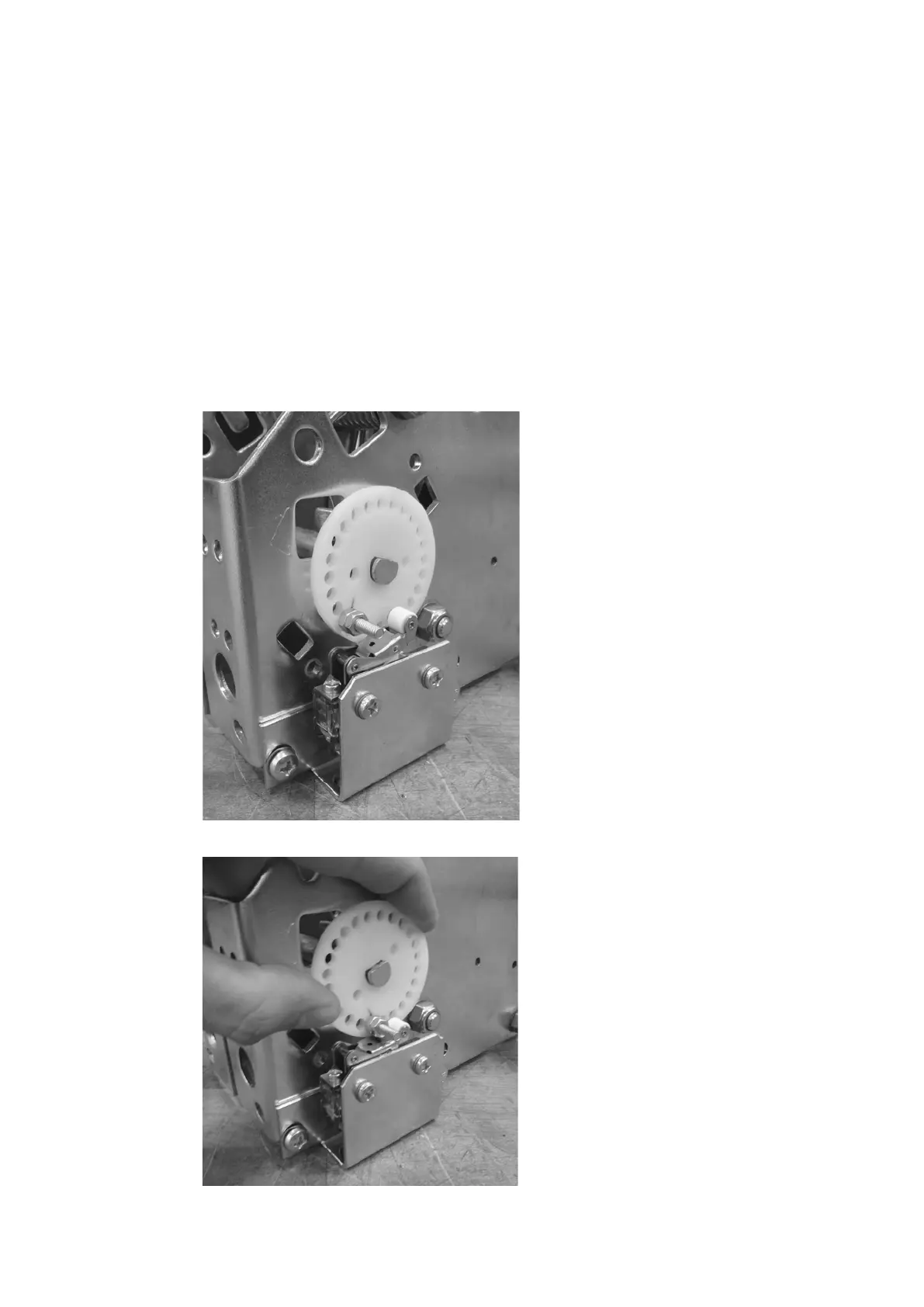
Install the provided screw and nuts into the
marked hole from the previous step as shown in
figure 82.
Rotate the white plastic disc, shown in figure 83,
to its maximum displacement and listen for a
“click”. This indicates that the switch will make
contact. If a “click” is not heard, relocate the
screw to a closer hole. Ensure the white disc
reaches its maximum rotation just as the click is
heard to prevent over rotation. If the setup is
correct, secure the white disc with the provided
cir-clip onto the half-moon shaft.
—
82
—
83



 To Next Page
 Loading...