24
SACE Tmax XT | ABB
Accensione
Switch-on
Einschaltung
1
2
3
4
- Ekip Supply mit Speisung versorgen
- Anschluss an frontalen Bis vornehmen, dazu Ekip T&P oder Ekip Bluetooth benutzen.
- Die Kommunikation mit Ekip Connect starten
- Den Parameter CAN Enable freigeben
- Sicherstellen, dass innerhalb von 10 Sekunden auf Ekip Connect die Seite erscheint, die der Änderung und
Einstellung der Parameter der angeschlossenen Module gewidmet ist
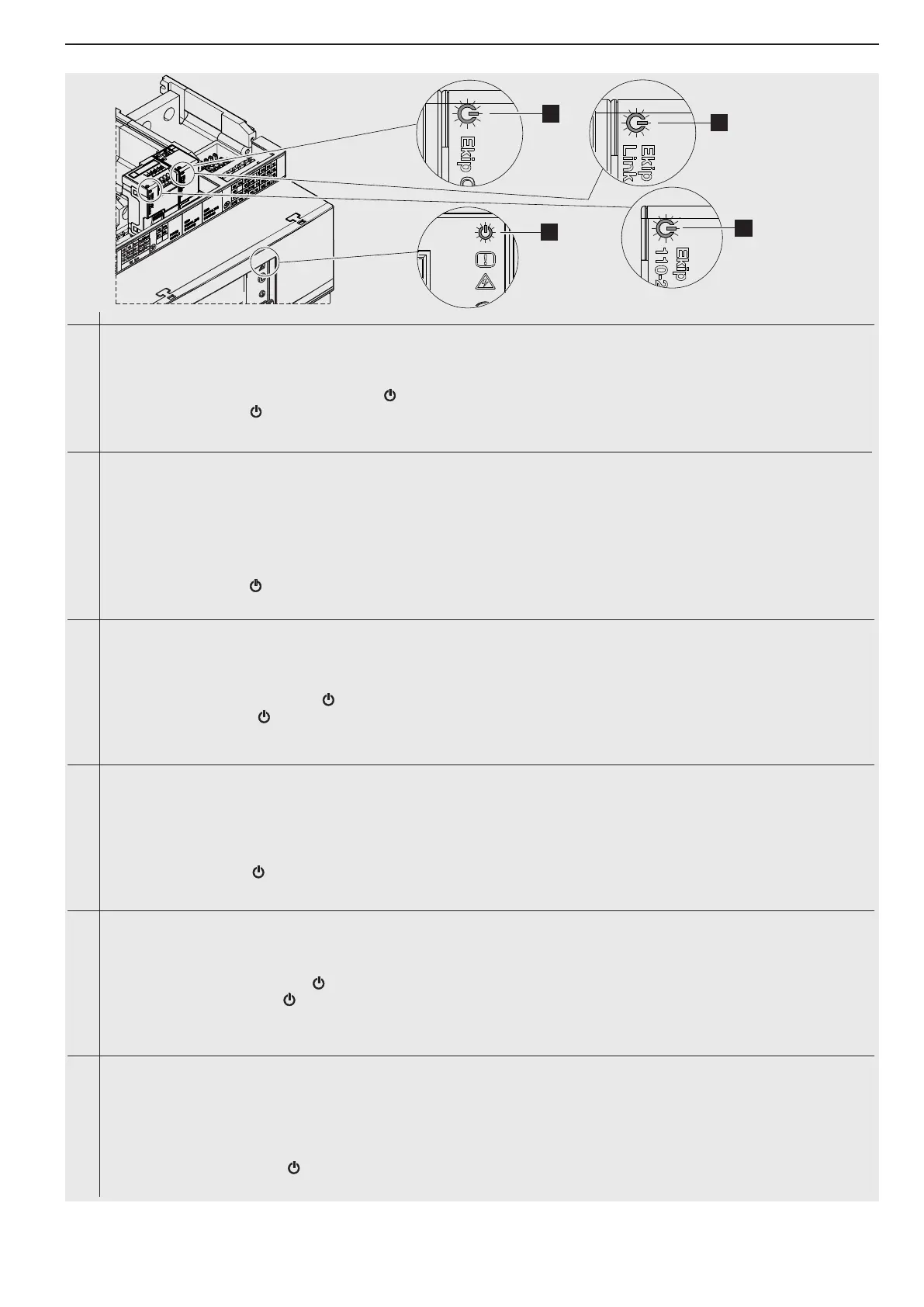
- Wenn die led von Ekip Link (2) asynchron im Bezug zu der des Auslösers (4) aufblinkt, im Handbuch des
Leistungsschalters nachlesen.
Ekip Dip
LSI/LSIG +
Ekip Link:
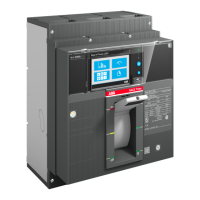
XT7
Ekip Touch +
Ekip Com +
Ekip Link:
INSTALLATIONSVERFAHREN
- Ekip Supply mit Speisung versorgen
- Aktivieren Sie den lokalen Bus, mit Anzeige -> Einstellungen -> Module -> Local Bus -> ON
- Prüfen, ob die led auf dem Modul (1), auf Ekip Supply (3) und dem Auslöser (4) an sind.
- Wenn die led von Ekip Com (1) oder von Ekip Link (2) asynchron im Bezug zu der des Auslösers (4)
aufblinkt, im Handbuch des Leistungsschalters nachlesen.
XT2
XT4
XT5
XT7
- Supply power to the Ekip Supply
- Connect via front bus using Ekip T&P or Ekip Bluetooth
- Start the communication with Ekip Connect
- Enable the CAN Enable parameter
- Make sure that within 10 seconds the dedicated page appears on Ekip Connect for modifying and adjusting the parameters
of the connected modules
- If the led of the Ekip Link (2) flashes asynchronously in relation to that of the release (4), consult the circuit-breaker
manual.
Ekip Dip
LSI/LSIG +
Ekip Link:
XT7
Ekip Touch
+
Ekip Com +
Ekip Link:
INSTALLATION PROCEDURE:
- Supply power to the Ekip Supply
- Enable the local bus, by Display -> Settings -> Modules -> Local bus -> ON
- Check that the leds are lit on the module (1), on the Ekip Supply (3) and on the release (4)
- If the led of the Ekip Com (1) or dell'Ekip Link (2) flashes asynchronously in relation to that of the release
(4), consult the circuit-breaker manual.
XT2
XT4
XT5
XT7
Ekip Dip
LSI/LSIG +
Ekip Link:
XT7
- Fornire alimentazione all’Ekip Supply
- Collegarsi via bus frontale utilizzando Ekip T&P o Ekip Bluetooth
- Avviare comunicazione con Ekip Connect
- Abilitare il parametro CAN Enable
- Verificare che entro 10 secondi appaia su Ekip Connect la pagina dedicata alla modifica e la regolazione dei
parametri
dei moduli connessi
- Se il led dell’Ekip Link (2) lampeggia in modo asincrono rispetto a quello dello sganciatore (4), consultare
il manuale dell’interruttore.
Ekip Touch +
Ekip Com +
Ekip Link:
XT2
XT4
XT5
XT7
PROCEDURA DI INSTALLAZIONE:
- Fornire alimentazione all’Ekip Supply
- Abilitare il bus locale, da Display -> Impostazioni -> Moduli -> Local bus -> ON
- Verificare l’accensione dei led sul modulo (1), sull’Ekip Supply (3) e sullo sganciatore (4)
- Se il led dell’Ekip Com (1) o dell’Ekip Link (2) lampeggia in modo asincrono rispetto a quello dello
sganciatore (4), consultare il manuale dell’interruttore.







 To Next Page