1. Rotate the shock level knob, set to level 1 .
2. Place two finger over both contact points of the training collar.
3. Press and hold the Smulaon Buon on the remote for 1-2 seconds. At
this level, you should feel connuous smulaon.
4. Keep going up the levels unl the sensaon starts to feel uncomfortable.
6
Before starng the training, place the collar on yourself and test it to see
how it feels. We recommend starng with the lowest seng and then
moving on to higher sengs up to your personal comfort level.
Connuous smulaon will go on for no more than 10 seconds.
To reacvate smulaon, release and press the buon again.
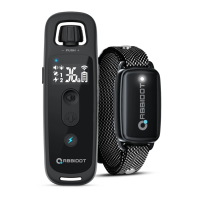
1. To turn on the remote, press and hold the ON/OFF buon.
2. The screen will light up and display current channel data and baery
level. If the screen doesn’t light up, charge the remote.
3. To turn off the remote, press and hold the ON/OFF buon for over 2
seconds.
1. To turn on the collar, press the ON/OFF buon.
2. The LED light on the collar will turn green. In standard mode, the Green
LED will flash every 4 seconds indicang that the collar is on and ready to
receive a signal from the remote.
3. To turn off the collar, press and hold the ON/OFF buon for over 2
seconds.
We strongly suggest TESTING the collar before putting it on your pet.
STEP 3. TURN ON THE REMOTE AND COLLAR
How To Turn ON/OFF the Remote?
How To Turn On the Collar?



 To Next Page