11
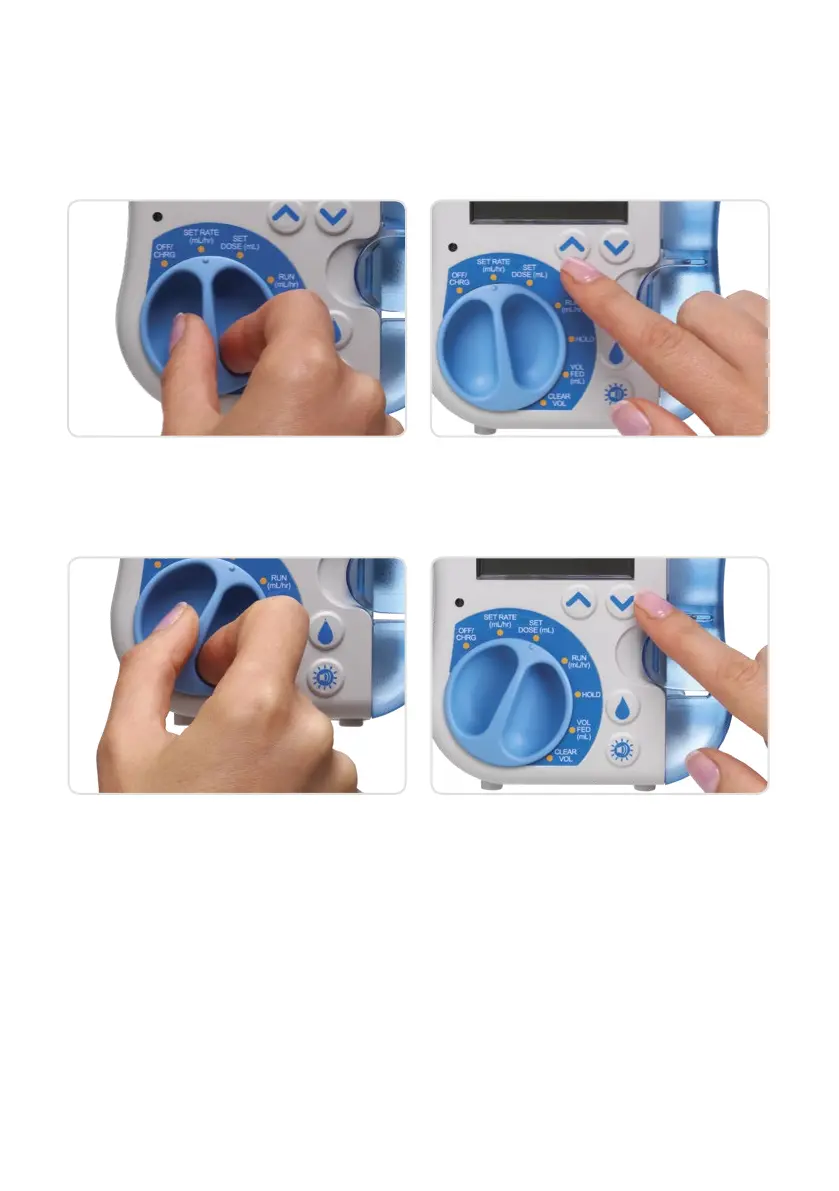
SET RATE AND
SET DOSE FUNCTIONS
3. Turn dial to SET DOSE
1. Turn pump dial to SET RATE
4. Set the desired dose by using the Up or
Down arrows
2. Select flow rate by pressing the Up or
Down arrows. Keeping an arrow depressed
will cause the scroll rate to increase
If your healthcare professional tells you not
to set a dose, depress the Down arrow until
INF DOSE is displayed (pump will feed
until the container is empty)










 To Next Page