4 cm
How to Start Your New FreeStyle Libre 3 Sensor
With Your iPhone
5
...
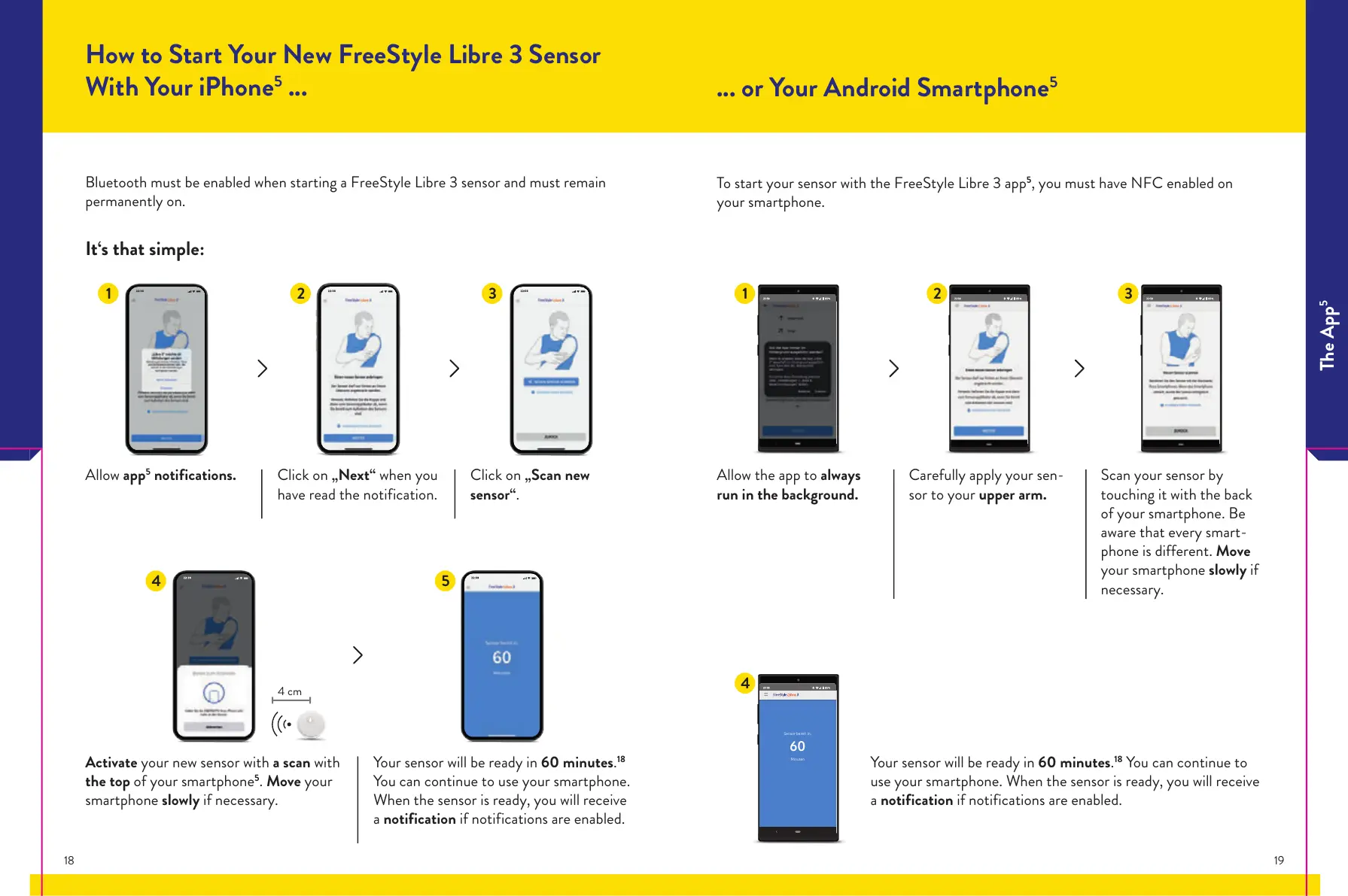
Bluetooth must be enabled when starting a FreeStyle Libre 3 sensor and must remain
permanently on.
It‘s that simple:
Allow app
5
notifications.
Activate your new sensor with a scan with
the top of your smartphone
5
. Move your
smartphone slowly if necessary.
Your sensor will be ready in 60 minutes.
18
You can continue to use your smartphone.
When the sensor is ready, you will receive
a notification if notifications are enabled.
Click on „Next“ when you
have read the notification.
Click on „Scan new
sensor“.
1 2 3
4 5
Allow the app to always
run in the background.
Carefully apply your sen-
sor to your upper arm.
Scan your sensor by
touching it with the back
of your smartphone. Be
aware that every smart-
phone is different. Move
your smartphone slowly if
necessary.
... or Your Android Smartphone
5
To start your sensor with the FreeStyle Libre 3 app
5
, you must have NFC enabled on
your smartphone.
1 2 3
Your sensor will be ready in 60 minutes.
18
You can continue to
use your smartphone. When the sensor is ready, you will receive
a notification if notifications are enabled.
4
Sensor bereit in:
60
Minuten
The App
5
18 19














 To Next Page