*Physical objects, such as a wall, could interfere with the data connection. However, the sensor will continue to
measure and store glucose data for up to 14 days.
If you are further than 10 meters away
from your smartphone:
Decrease your distance to re-establish
connection.
If your smartphone cannot establish a
connection to the sensor for more than
20 minutes:
Check if there are any massive objects
between you and your smartphone.*
Yo u r s m a r t p h o n e c a n r e c e i v e g l u c o s e a l a r m s
12
from up to 10 meters away*. The Signal Loss
alarm is automatically activated the first time a glucose alarm is turned on. You can turn
the Signal Loss alarm off and on again at any time.
Signal Loss Alarm
25
The Signal Loss alarm informs you if there is no connection between the sensor and
your smartphone
5
for more than 20 minutes, or as soon as your smartphone is further
than 10 meters* away from the sensor.
Yo u r r e a d i n g s w i l l a l w a y s b e d i s p l a y e d in their entirety as they are stored within the sensor.
It may happen that your FreeStyle Libre 3 App
5
cannot receive glucose readings for a
short time, e.g. in a sauna due to high temperatures. You will then receive a corresponding
error message in your FreeStyle Libre 3 app. It could take 2-4 minutes until the signal is
re-established.
Max. 10 meters*
less than 20 minutes
22:38
Freitag, 24. Juli
LIBRE 3
Alarm „Signalverlust“
Glukosealarme sind nicht verfügbar.
Jetzt
!
The alarm limits do not correspond to your glucose target range. Discuss with your
healthcare providers how high or low you want your alarm limits to be.
Do Not Miss Alarms
12
Thanks to the Sound and
Vibration Setting
The alarms have a sound and vibration setting.
The settings for volume and vibration follow the settings of your smartphone
5
.
• Use the sound mode in noisy environments (e.g. when shopping).
• Use the vibration mode for discretion (e.g. in the cinema).
• You can turn off sound and vibration. The alarms will still be displayed on your screen.
More info on page 29.
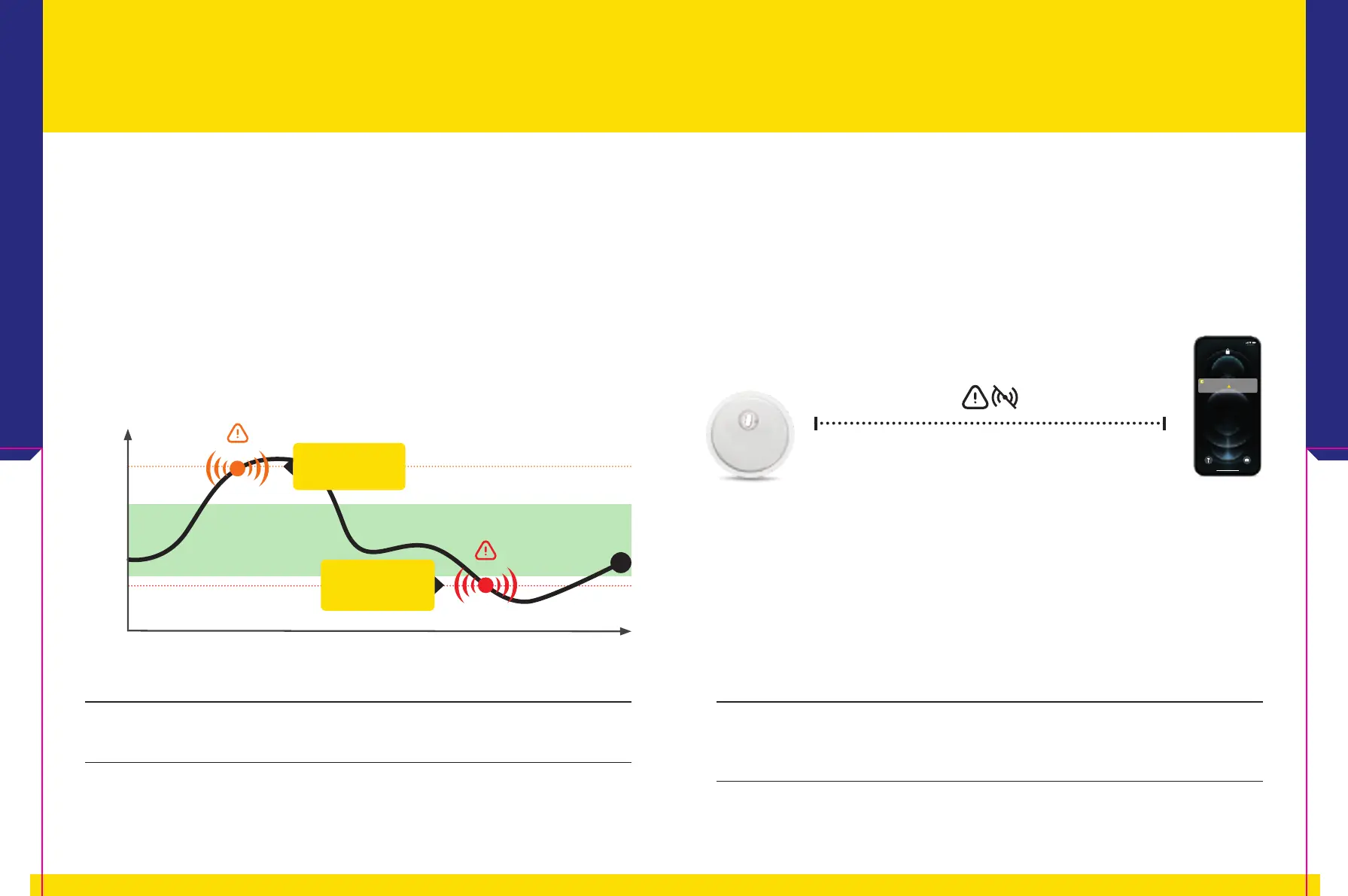
250 mg/dL
13.9 mmol/L*
60 mg/dL
3.3 mmol/L*
time
Glucose
*Example value: Enter your personal alarm limits on your device.
Low glucose
alarm
High glucose
alarm
Die App
5
2726














 To Next Page