Discover the Note Function
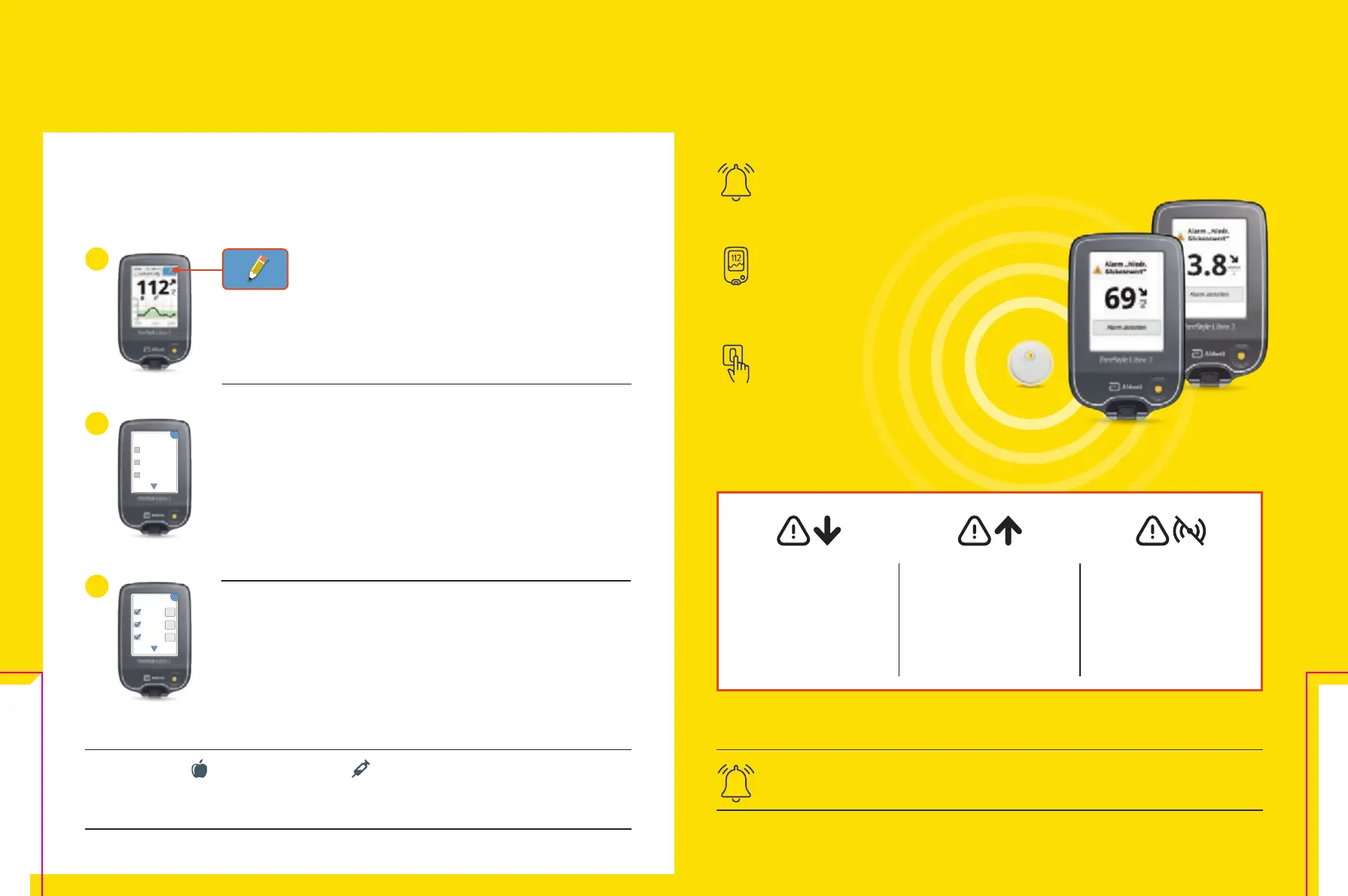
This is how you can add notes:
Your reader saves this information for 90 days.
Notes about food and long-acting insulin appear as icons on your glucose graphs
and in your history, helping you and your healthcare providers to better understand and
assess your glucose progress.
You can add notes for glucose readings by touching the stylus
icon at the top right of the touchscreen.
1
Select the corresponding checkbox next to the note that you want
to add:
• Food
• Fast-acting insulin
• Long-acting insulin
• Exercise
• Medication
OK
Notizen
hinzufügen
1 / 2
Schnell
wirkendes
Insulin
Lang
wirkendes
Insulin
Lebensmittel
2
+
+
+
1 / 2
Notizen
hinzufügen
Schnell
wirkendes
Insulin
Lang
wirkendes
Insulin
Lebensmittel
Tap the „Plus“ icon to add more specific information to your note.
Save the note with „OK“.
3
Receive Optional Real-Time Glucose Alarms
12
Directly to Your Reader
To turn off the alarm, tap „Turn off alarm“ or press
the yellow home button.
Optional glucose alarms
let you know directly if you exceed
or fall below your set alarm limits.
When the alarm sounds,
your reader displays your current
glucose reading and trend arrow to
help you respond.
The alarms can be easily switched
on and off again.
Low glucose –
can be set between
60 – 100 mg/dL
(3.3 – 5.6 mmol/L)
High glucose –
can be set between
120 – 400 mg/dL (6.7
– 22.2 mmol/L)
Sensor signal loss
25
alerts if your sensor
has
not communicated with
your sensor in over 20
minutes.
The Reader
38 39














 To Next Page