Steps Do This
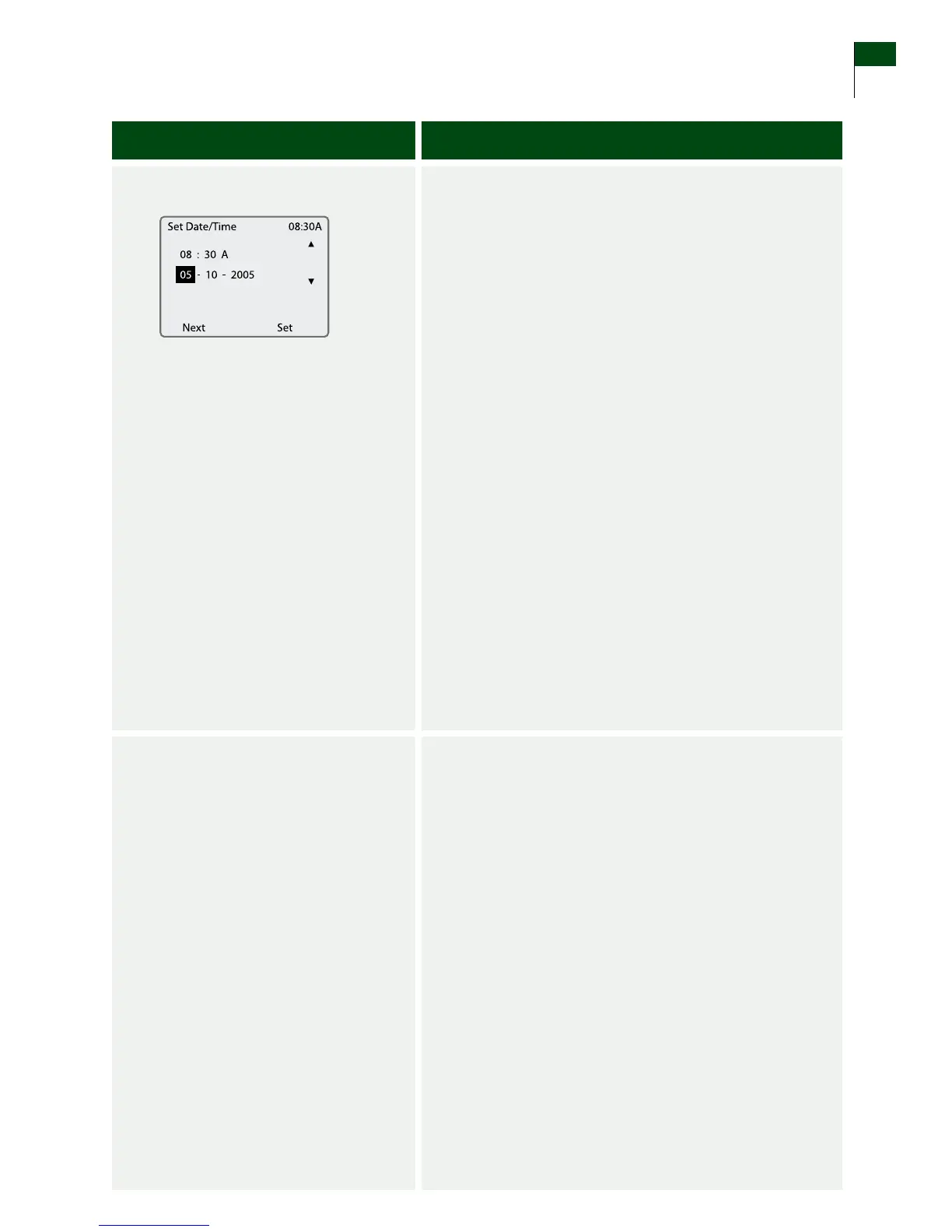
5. Set the date.
a. Press the LEFT Option button (Next) to move to the
Month eld.
b. Use the UP/DOWN Arrow buttons to set the current
month.
c. Press the LEFT Option button (Next) to move to the
Date eld.
d. Use the UP/DOWN Arrow buttons to set the current
date.
e. Press the LEFT Option button (Next) to move to the
Year eld.
f. Use the UP/DOWN Arrow buttons to set the current
year.
g. Conrm that your selections are correct:
• IfNO, press the LEFT Option button (Next) and
repeat this procedure from Step 5a.
• IfYES, press the RIGHT Option button (Set) to
accept your changes.
Result: e screen displays the System menu.
h. Press the LEFT Option button (Main) to return to the
Main screen.
6. Check your work.
Result: Your FreeStyle Navigator Receiver is operating with
the correct time and date.
You have done this procedure correctly when:
o
e time is correct.
o
e date is correct.
END OF Section 3
Section 3 23
Set the Time and Date















 To Next Page