9
1
2
3
4
5
6
7
8
Pima™ ANALYSER USER GUIDE
23
Abort Analysis
• Select «Abort Analysis» in the «Analysis Menu» and conrm with 〈.
Note that cartridges CANNOT be re-used aer an analysis is aborted.
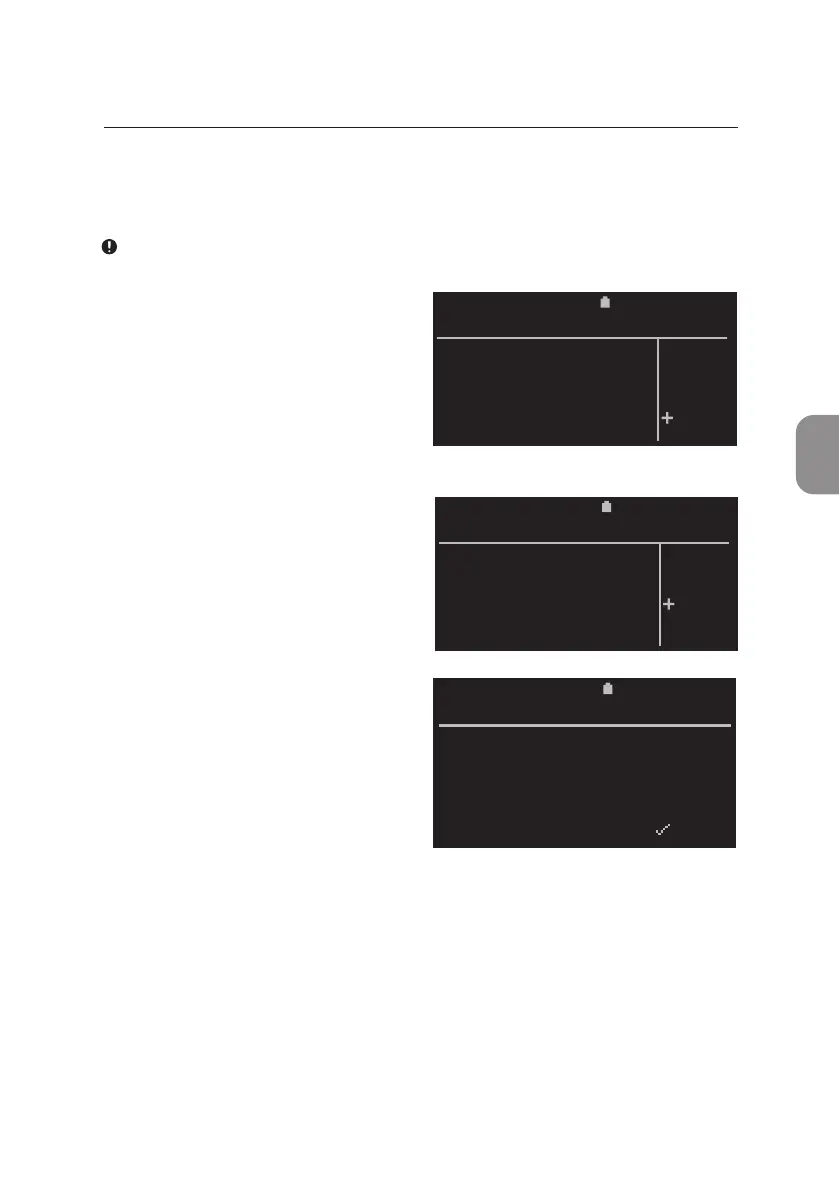
• The «Abort Analysis» window
appears and «NO» is selected by
default. Press either 〈 or ⌨
to exit this window and to return
to the «Analysis Menu».
• Select «YES» and conrm with 〈.
The Pima Analyser will abort the
current analysis.
• The operator is prompted to
remove the cartridge. The following
error code is displayed in the rst
result window. Press ⌨ to return to
the inial «Run test» window and
to start the next analysis.
To abort the export, deleon or prinng of results, proceed in the same
manner. Press ⌨ to open the «Abort process» window. «NO» is selected by
default. Select «YES» and conrm with 〈.
The Pima Analyser will abort the current process.
2020-11-01 11:05
Do you want to
abort the
analysis ?
ABORT ANALYSIS
YES
NO
2020-11-01 11:05
Do you want to
abort the
analysis ?
ABORT ANALYSIS
YES
NO
11:052020-11-01
Sample: 67352
Manual abort
Error 206
_________________________________________
BACK X PRINT
PIMA CD4



 To Next Page