9
1
2
3
4
5
6
7
8
24
The «Main Menu» window can only be selected, if there is no analysis
currently in progress.
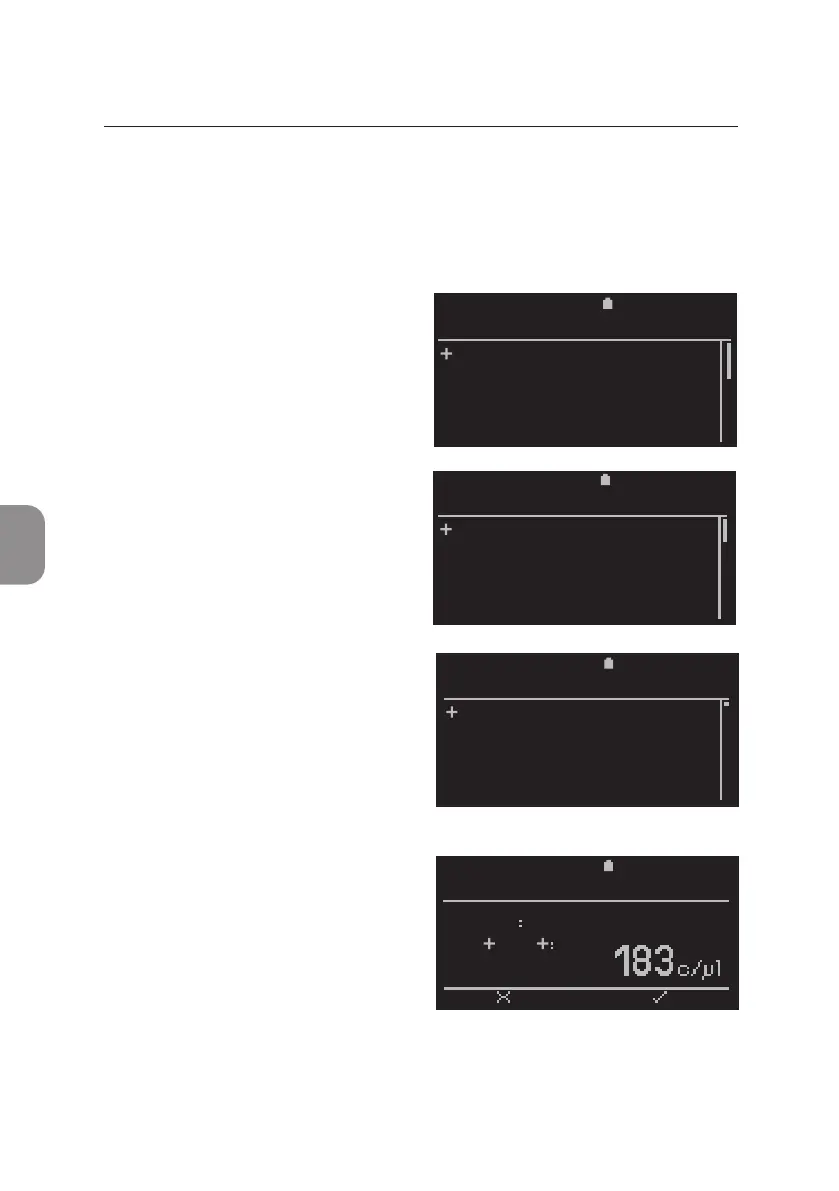
View Results from Archive
• To view the result opons, select
«Results» from the «Main Menu»
and conrm with 〈.
• A list of all available result opons
is displayed. Use ⌱ and ⌲ to scroll
the complete list. To view Results
select «View» from the «Results»
window.
• The «View Results» window with
all archived Sample IDs is displayed
by Test ID in reverse chronological
order. The last archived result is
selected by default. Use ⌱ and ⌲
to select a result of interest and
conrm with 〈.
• This opens the rst result window
for the selected Sample ID.
Addional test related parameters
can be viewed using ⌲ and ⌱.
• Press ⌨ to return to the «View
Results» window.
5 MAIN MENU: RESULTS
5 MAIN MENU: RESULTS
2020-11-01 11:30
View
Print
Export
Export and Delete
Delete
RESULTS
2020-11-01 11:30
36 67352
35 55687
34 48951
33 37756
32 23544
VIEW RESULTS
2020-11-01 11:30
Results
Settings
Power Off
MAIN MENU
2020-11-01 11:25
Sample
CD3 CD4
PIMA CD4
BACK PRINT
67352



 To Next Page