77
IMPORTANT:
Avoid getting dust, dirt,
blood, control solution, water,
or any other substance in the
test strip port.
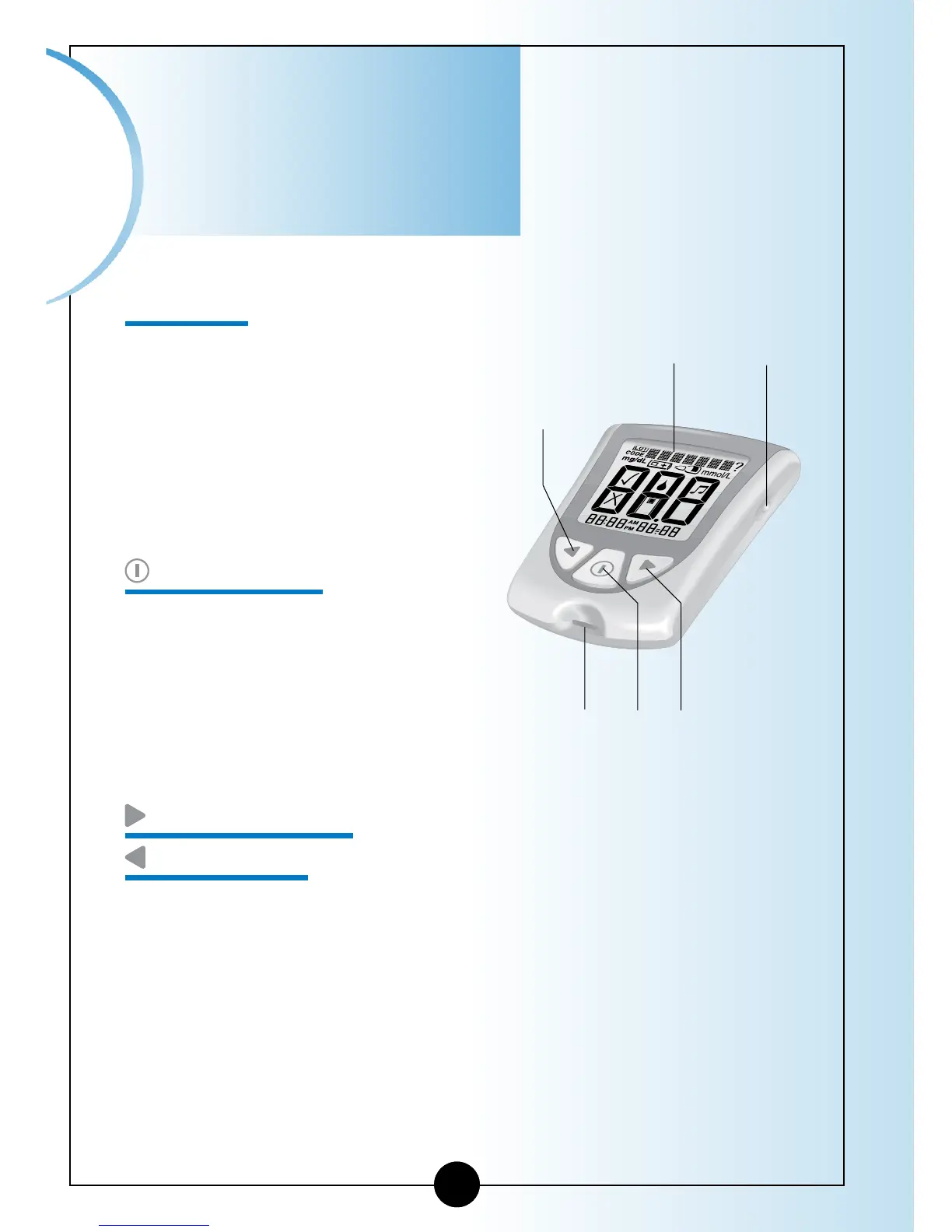
Strip Port
This is where you insert:
• A blood glucose test strip.
• A blood ketone test strip.
• Data cable (not included)
for uploading results to a
computer.
Mode Button
Use this button to:
• Turn meter ON and OFF.
• Access meter setup options.
• Access and save meter settings.
• Access previous results and averages.
Forward Button
Back Button
Use these buttons to:
• Review and select meter settings.
• Review results and averages.
Important
Information
Back
Button
Backlight
Button
Display
Window
Strip
Port
Mode
Button
Forward
Button














 To Next Page