41
Reviewing Results
How to See Results in Memory
1
Begin with your meter turned off. Make sure there is
nothing in the strip port.
2
Press and Release the
button.
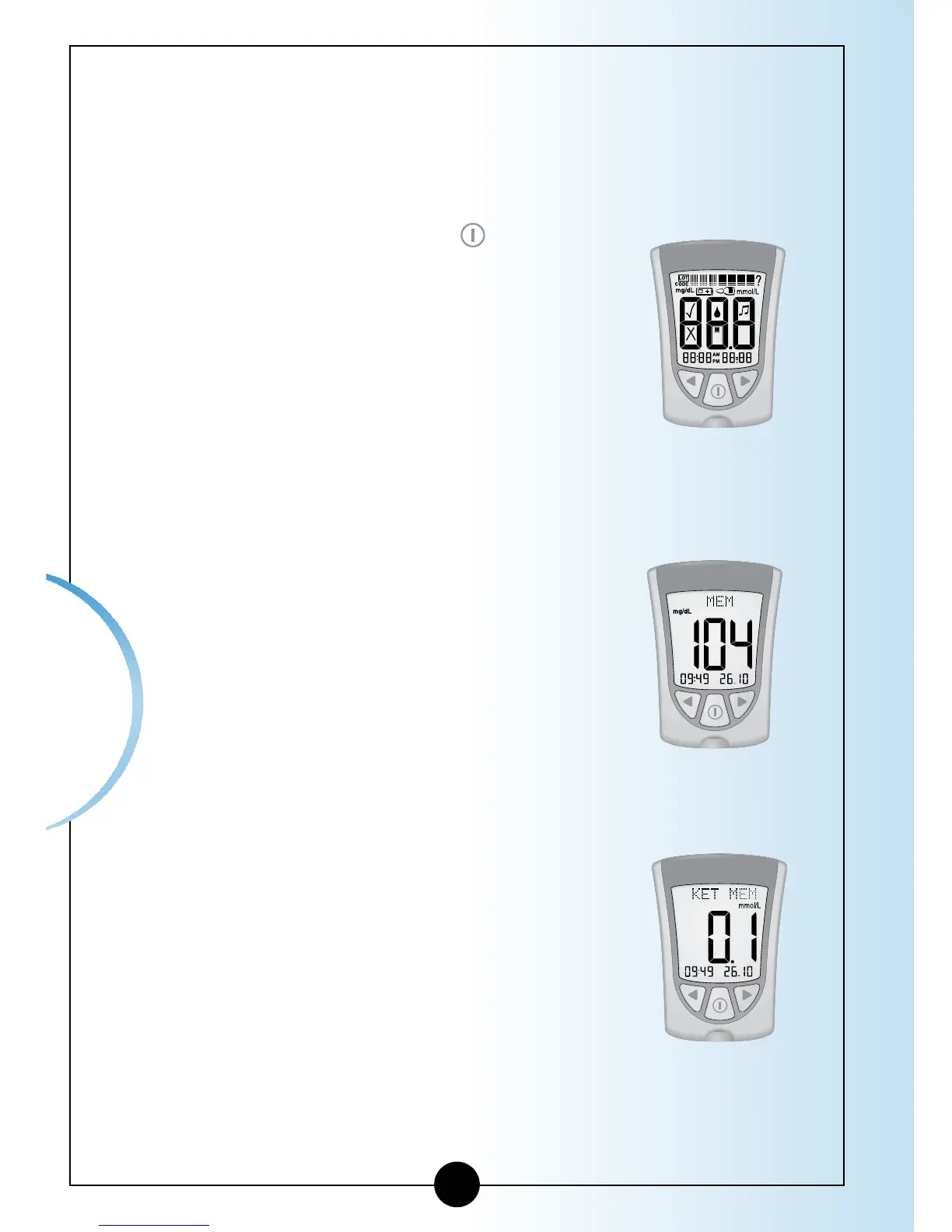
• The Display Check shows on the
display window.
• Then your most recent result shows
with its units on the meter’s display
window, along with the time,
month, and day that you got the
result. (To set the correct date and
time, follow the steps in Chapter 2.)
A blood glucose result in Memory
will show with the letters MEM.
A blood ketone result in Memory will
show with the letters KET MEM.
▼
Blood Ketone
result in Memory
Blood Glucose
result in Memory














 To Next Page