53
Caring for Your
Meter
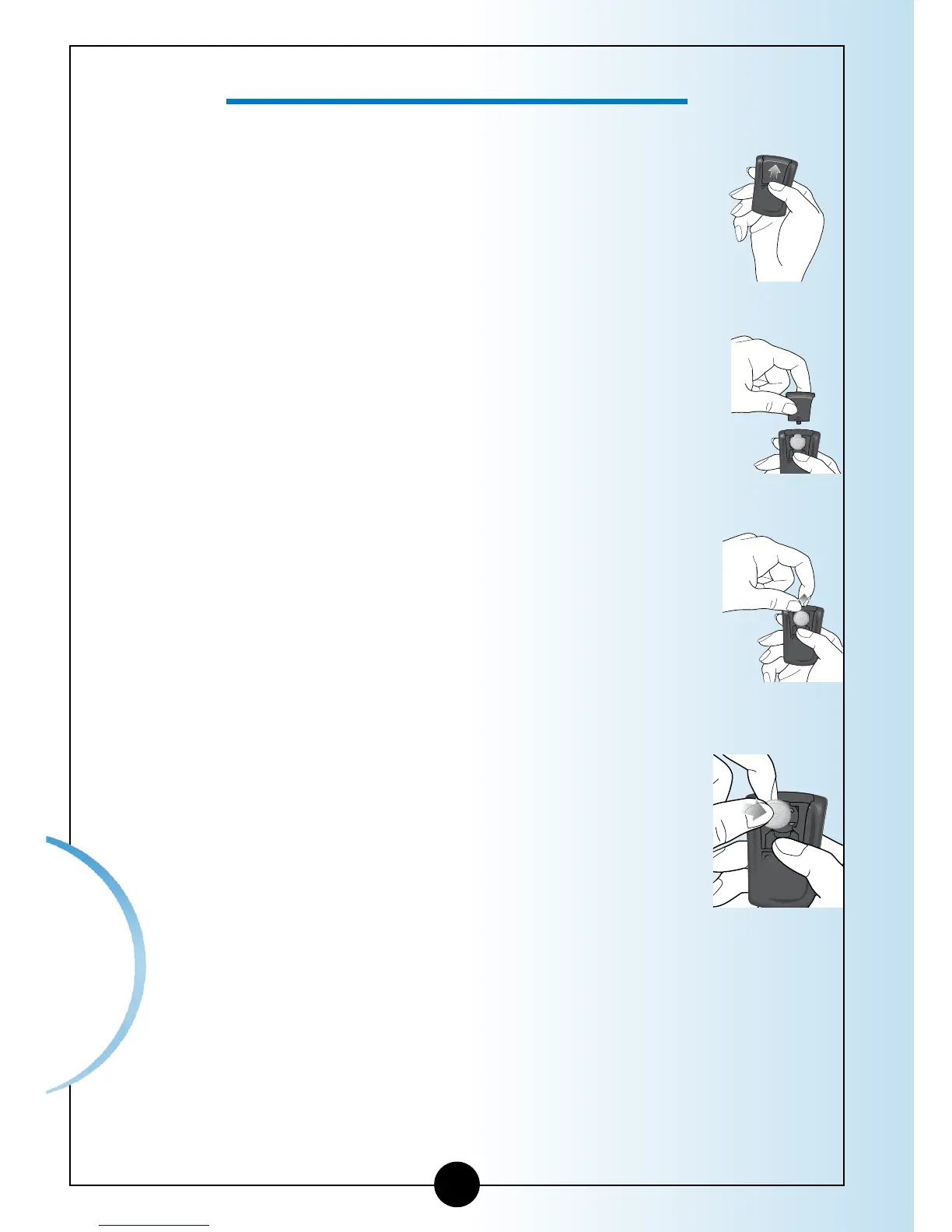
1
Gently push the battery cover in and up
with your thumb.
2
Lift the battery cover out of the meter.
3
To remove the battery, push the
battery upward to release the battery.
4
Insert a new CR 2032 Lithium (coin cell)
battery with the plus sign (+) facing up.
How to Replace Your Meter’s Battery














 To Next Page