3-22 Chapter 3
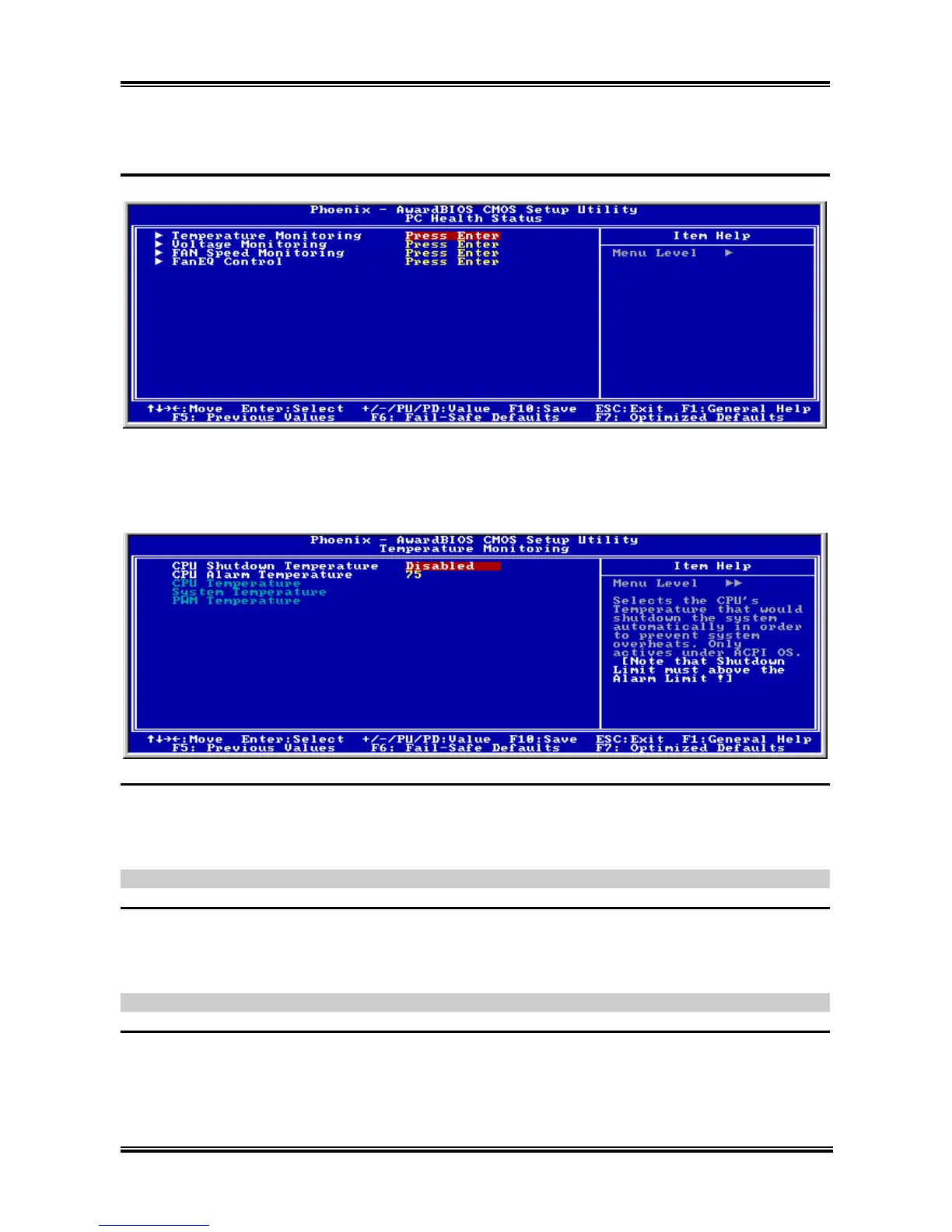
3-8. PC Health Status
Temperature Monitoring:
Click <Enter> key to enter its submenu:
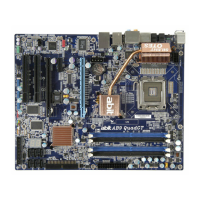
CPU Shutdown Temperature:
This item sets the temperature that would shutdown the system automatically in order to prevent system
overheats.
NOTE: The CPU shutdown temperature must be set above the CPU alarm temperature.
CPU Alarm Temperature:
This item selects the CPU’s warning temperature limit. Once the system has detected that the CPU’s
temperature exceeded the limit, warning beeps will sound.
NOTE: The CPU alarm temperature must be set below the CPU shutdown temperature.
CPU Temperature/SYS Temperature/PWM Temperature:
These items display the temperature of CPU, System, and Power Module.
AI7/AI7-G



 To Next Page