14 I-45C/I-45CV
3. Driver & Utility
The “Driver & Utility CD” that came packed with this motherboard
contains drivers, utilities and software applications required for its basic
and advanced features.
Place the “Driver & Utility CD” into the CD-ROM drive in your system.
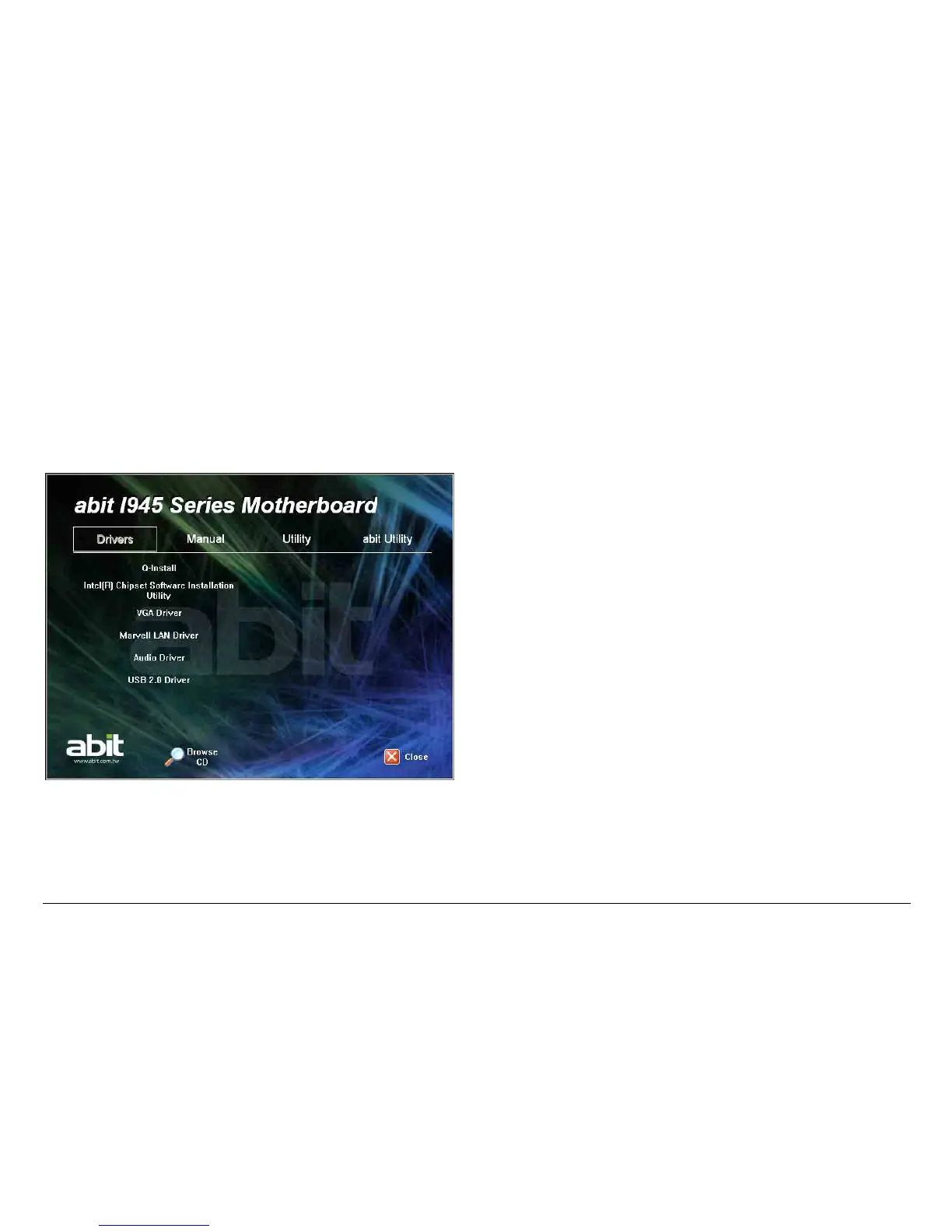
The following installation auto-run screen appears. If not, browse the
root directory of the CD-ROM via the File Manager, and double click the
“AUTORUN” file.
• [Drivers]: Click this button to enter the driver installation menu.
[Q-Install]: Click this button to install all the drivers needed for
this motherboard at one stroke.
※ For Windows XP 64-bit and Windows 2003
32-bit/64-bit installation:
You may escape the rest of the driver items in this menu after
having finished this installation, but for operating systems
“Windows XP 64-bit” and “Windows 2003 32-bit/64-bit”, you
must install the bus driver for [Microsoft High Definition
Audio] first, and then install the following [Realtek HD Audio
Driver] item separately to enable the audio function.
※ For Adobe Reader V8.0 installation in systems running
versions of Windows prior to Windows XP:
You should have your Internet Explorer upgraded to the version
later than 6.0.2600.0 before installing Adobe Reader V8.0 from
the download site:
http://www.microsoft.com/downloads/details.aspx?familyid=1E
1550CB-5E5D-48F5-B02B-20B602228DE6&displaylang=en
• [Manual]: Click this button to enter the user’s manual menu.
• [Utility]: Click this button to enter the utilities installation menu.
• [abit Utility]: Click to enter the installation menu of utilities
exclusively developed by ABIT.
• [Browse CD]: Click this button to browse the contents of this
“Driver & Utility CD”.
• [Close]: Click this button to exit this installation menu.



 To Next Page