3-16 Chapter 3
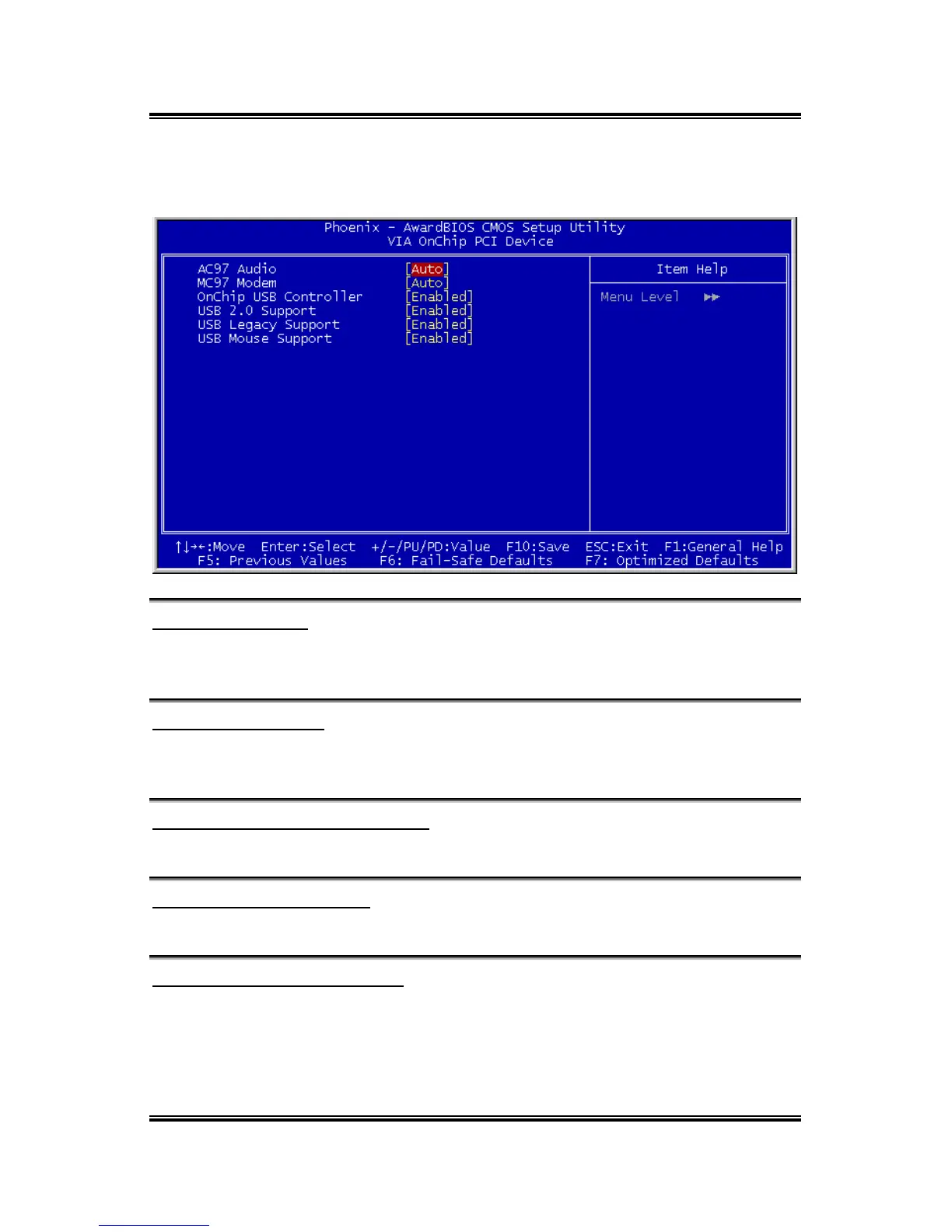
VIA OnChip PCI Device
Scroll to this item and press <Enter> to view the following screen:
AC97 Audio (Auto)
Enables and disables the onboard audio chip. Disable this item if you are going to
install a PCI audio add-in card.
MC97 Modem (Auto)
Enables and disables the onboard modem. Disable this item if you are going to install
an external modem.
OnChip USB Controller (Enabled)
Enable this item if you plan to use the Universal Serial Bus ports on this mainboard.
USB 2.0 Support (Enabled)
Enable this item if want to use the USB 2.0.
USB Legacy Support (Enabled)
This item allows the BIOS to interact with a USB keyboard or mouse to work with
MS-DOS based utilities and non-Windows modes.
VA-20



 To Next Page