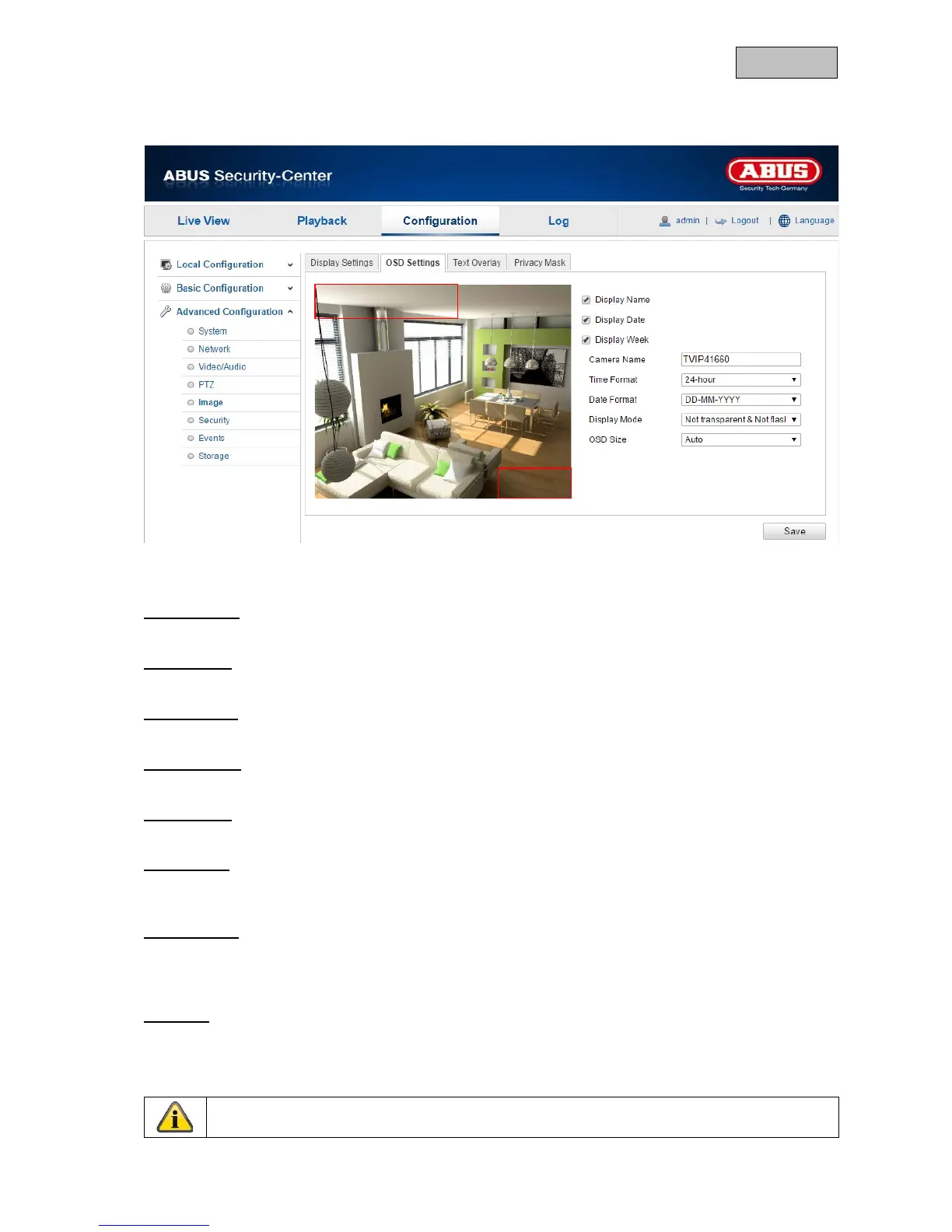
12.3.5.2. OSD Settings
You can use this menu item to select which date and time format are displayed in the live picture.
Display Name
Activate this checkbox if you wish to display the camera name.
Display Date
Activate this checkbox if you wish to display the date in the camera image.
Display Week
Activate this checkbox if you wish to display the day of the week.
Camera Name
Enter the camera name that is to be displayed in the image here.
Time Format
Choose here whether you would like to display the time in 24-hour or 12-hour format.
Date Format
Select the format for the date display here.
(D = day; M = month, Y = year)
Display Mode
Here you can select the display mode for the elements displayed.
You have the following options: "Transparent & Flashing", "Transparent & Not Flashing", "Not
Transparent & Flashing", "Not Transparent & Not Flashing".
OSD Size
The on-screen display size can be set here. Options: 16x16, 32x32, 48x48, 64x64, auto.
In the auto option, the size is adjusted according to the resolution set. The OSD size setting can only
be applied to the first video stream (main stream).


 To Next Page
 Loading...












