Enable Record Schedule
Enable the schedule to store the desired schedule.
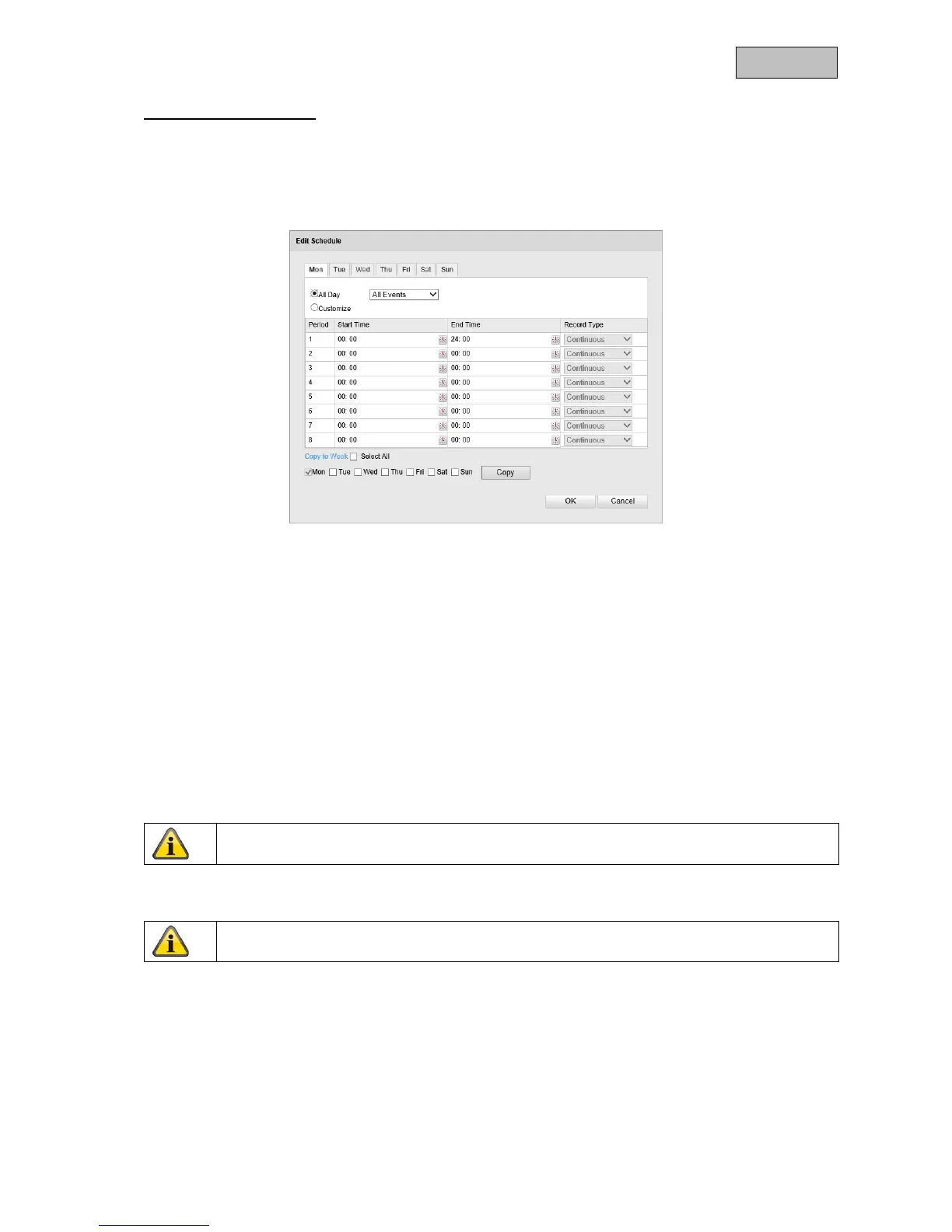
To store the schedule, click "Edit". A new window opens.
Now select a day of the week for the recording to take place. To store particular time periods, enter a
start and end time. To activate the alarm input all day, select 00:00 as the start time and 24:00 as the
end time.
To apply the settings for all days of the week, click the "Select All" checkbox. To copy the settings to
other days of the week, select the day of the week and click on "Copy".
Under Record Type, select the recording mode for the desired schedule. You can
choose between the following record types:
Normal:
permanent recording.
Motion detection:
motion-triggered recording.
Motion detection | Alarm:
recording triggered by motion or by alarm input. Camera begins
recording either following motion detection or an alarm input.
Motion detection & Alarm:
recording triggered by motion and by alarm input. Camera only starts
recording if motion and alarm input are triggered simultaneously.
To apply the changes, click "OK" and to discard them click "Cancel".


 To Next Page
 Loading...












