27
English
1
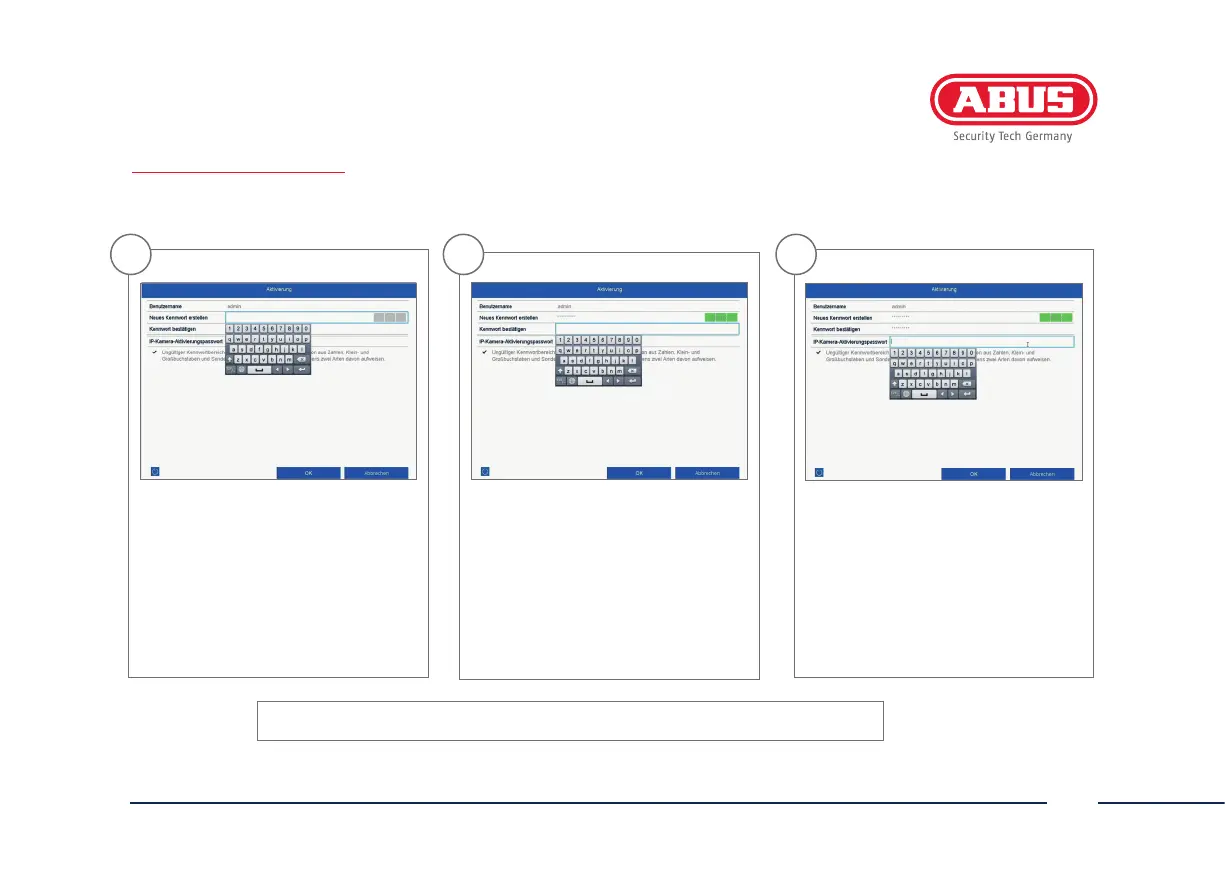
In the eld “New password” enter
a password for the admin user.
The password must meet the
specied minimum requirements.
Recommendation: Use a password
that is as complex as possible and
is classied as “strong”.
2
Re-enter the password to conrm it.
Note down the new password and
keep it in a secure location.
The admin password can only be
reset by ABUS technical support.
3
You should also enter the activation
password for the cameras here. If you
activate a camera via the recorder,
the recorder uses this password for it.
Then click on “OK”. The device is now
activated and all of its functions can
be used.
Admin password:
SYSTEM ACTIVATION



 To Next Page