74
ADDING MORE DEVICES
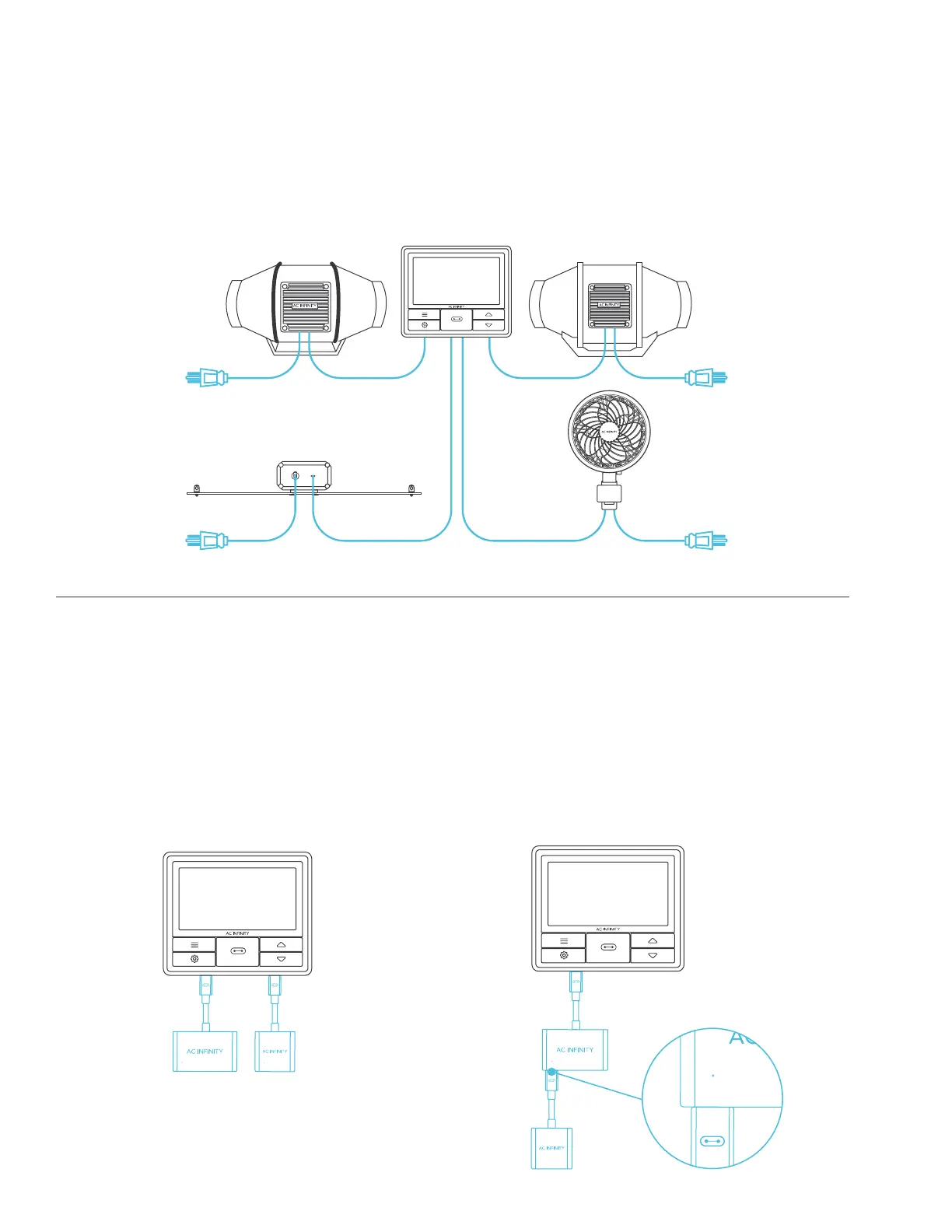
The CONTROLLER 69 is built with four ports that enable you to power and control multiple
devices at the same time. See image below for a sample configuration.
USING THE DONGLE
When using a 2-port or 4-port dongle, plug
your first device into Port 1 for the controller
to recognize as the primary device.
All other devices plugged into the dongle
will follow programming intended for the
device plugged into Port 1.
EXTENDING THE CHAIN
When plugging additional dongles into Port
1, all devices plugged into this chain must be
of the same type (ex. grow lights of any size)
regardless of the length of the dongle chain.
1 2 3 4 1 2
1 2 3 4
1 2


 To Next Page