93
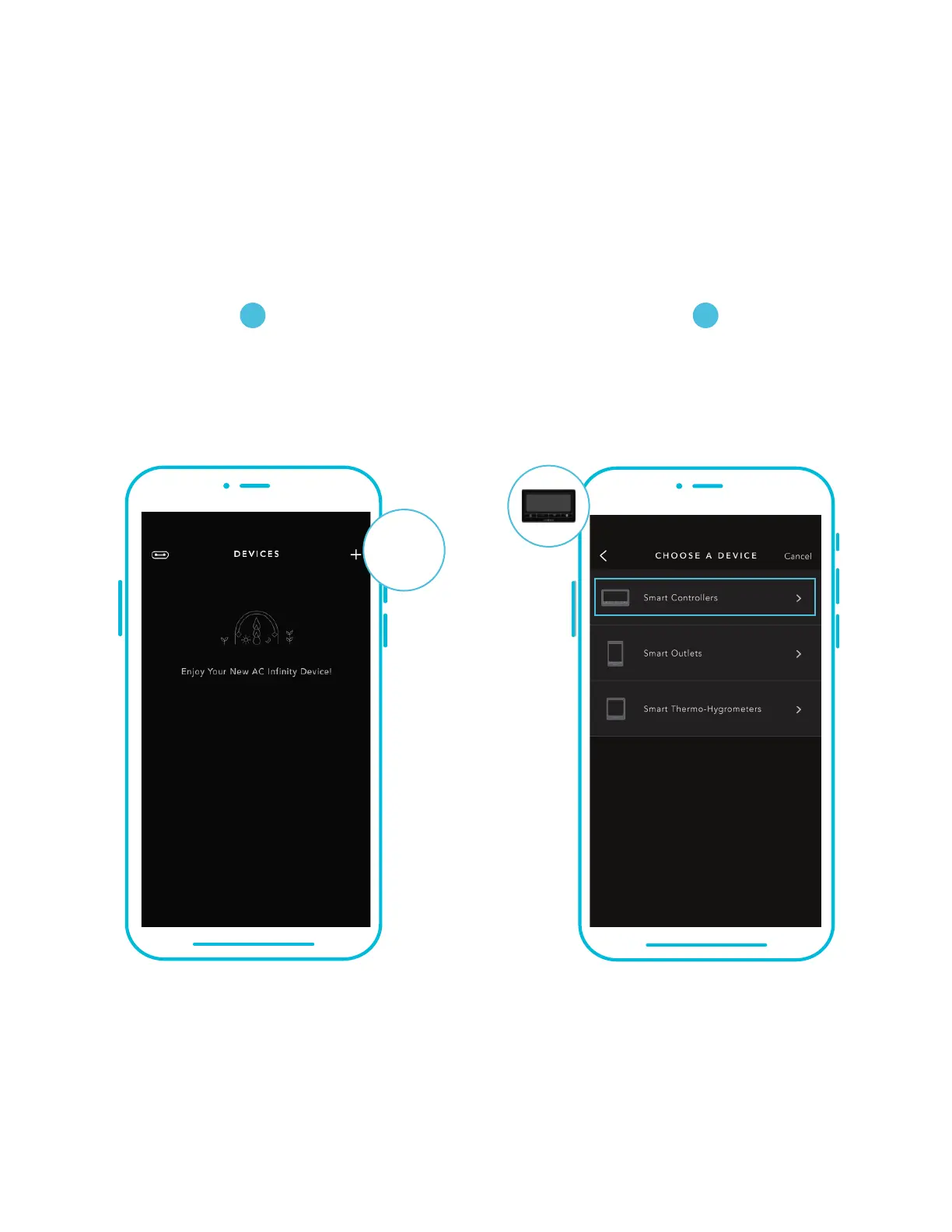
Tap on the “+” tab to
add your smart device.
To launch the app, tap on the “Smart
Controllers” tab to begin pairing.
Please note: Bluetooth must be enabled on your mobile device before starting the pairing process.
CONTROLLER 69
ADD A DEVICE
21
SETUP AND PAIRING
Power your device on before pairing your device with the app. Refer to pages 68-69 for more
information regarding controller setup.
+


 To Next Page