Accent 800/800-D Getting Started 5
A Quick Look at Device Features
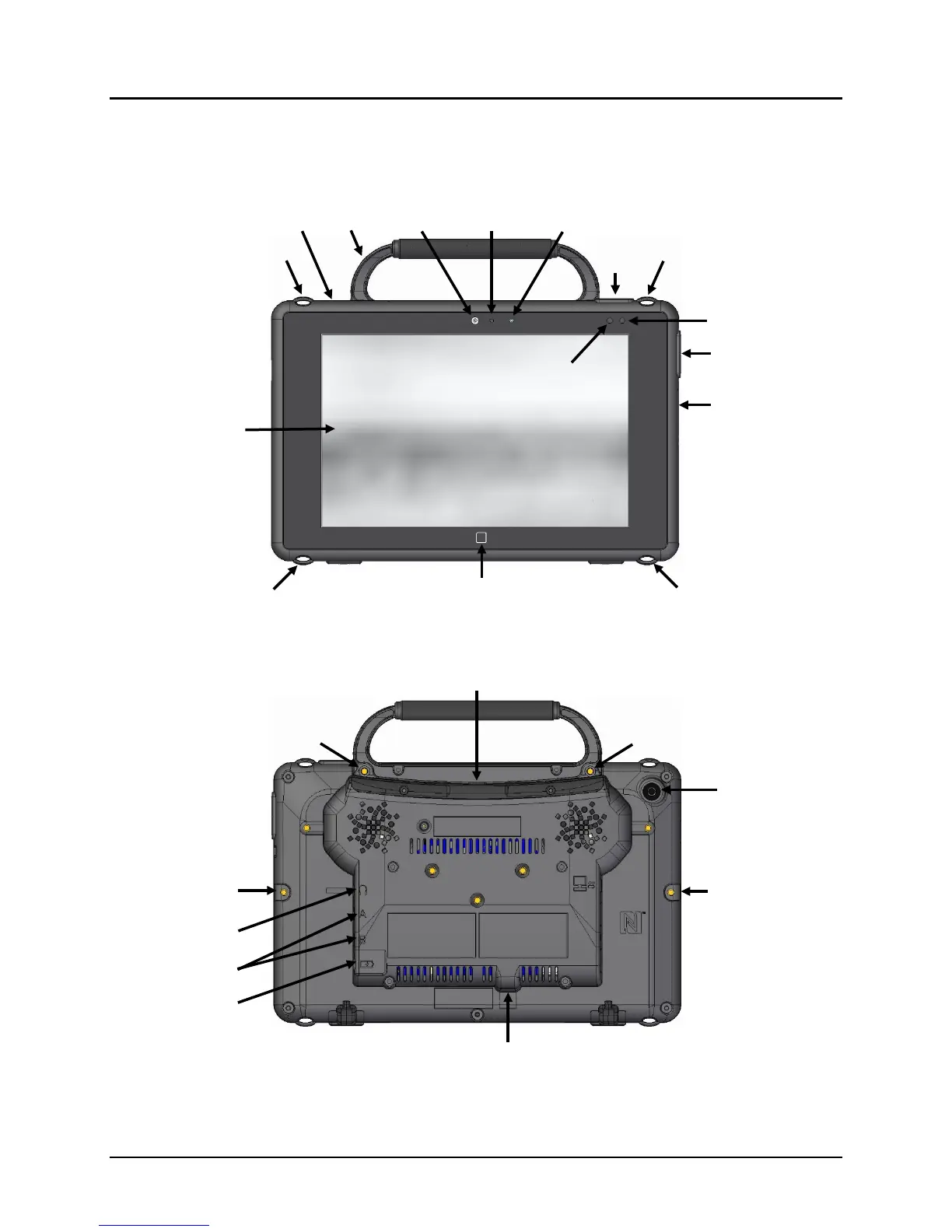
Front View
Back View
* If you use a switch or switches for access to your device, plug them into switch jacks A and B. To
use a joystick, you will need a Y-adapter. If you have a joystick plugged in and it does not respond
normally, reverse the way it is plugged in (plug switch A into jack B, switch B into jack A).
Button
Sensor
Indicator
Attachment Point for Handle
or NuPoint Head
Attachment Point for Handle
or NuPoint Head Tracker
Mini USB Connector for
®
Attachment Point
for Device Frame
Attachment Point for
Device Frame



 To Next Page