Accent 800/800-D Getting Started 8
Removing the Wire Stand
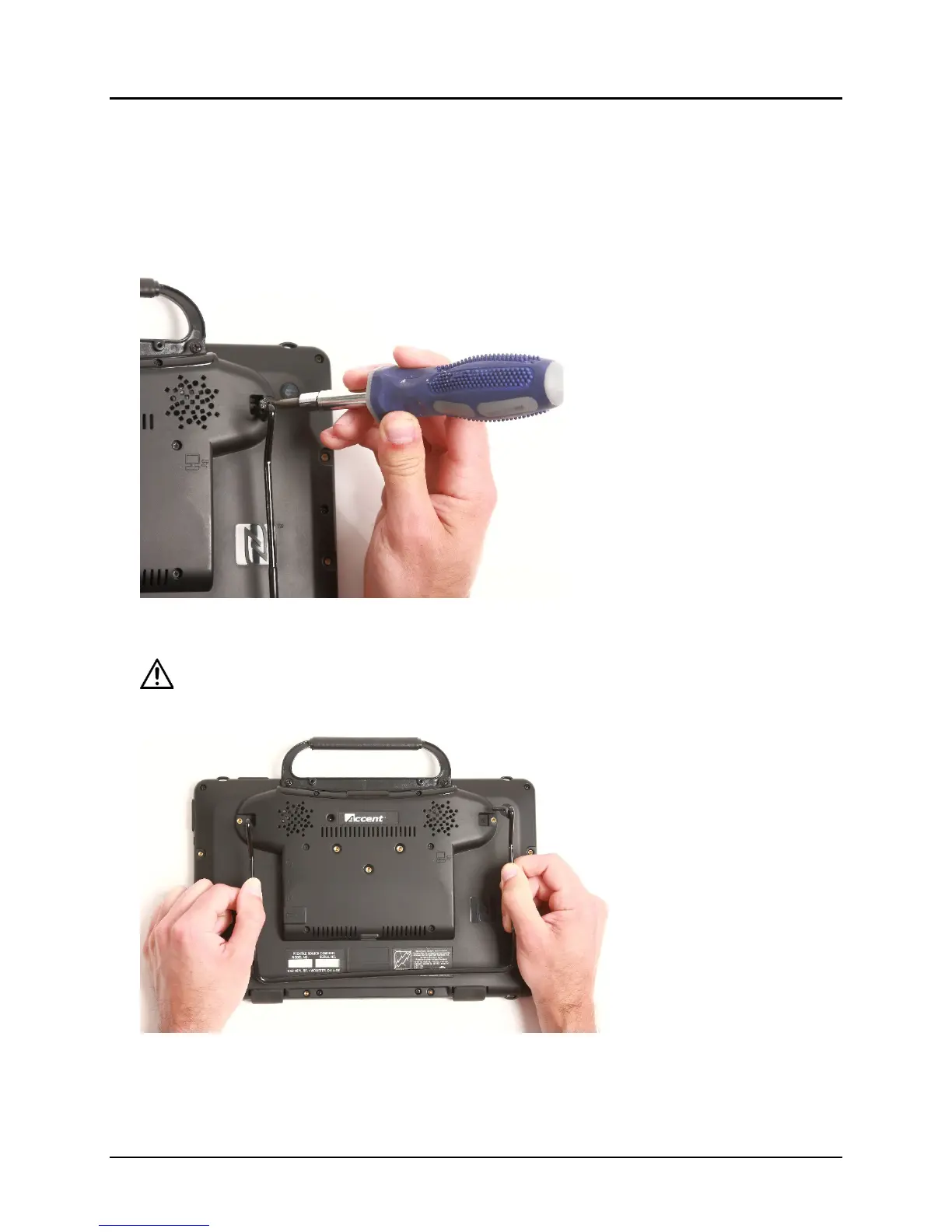
If you do not want to use the stand, you can remove it from the back of the device. You can reattach it
at any time.
1. Place the device face-down on a flat surface.
2. Remove the screws from the holders at the top of each of the stand’s legs.
3. Pull the holders free and put the holders and screws in a safe place in case you need to use them
later. Alternatively, you can reinsert the screws in the holes in the device.
Loose holders and screws could be a choking hazard.
4. Spread the legs apart to pull them out of the holes in the back of device.
5. Pull the stand free and put it in a safe place in case you need to use it later.
Important! If you reattach the stand, be sure to secure the legs with the holders to prevent
someone from pulling it loose accidentally.



 To Next Page