14
4.5 Loading Ink
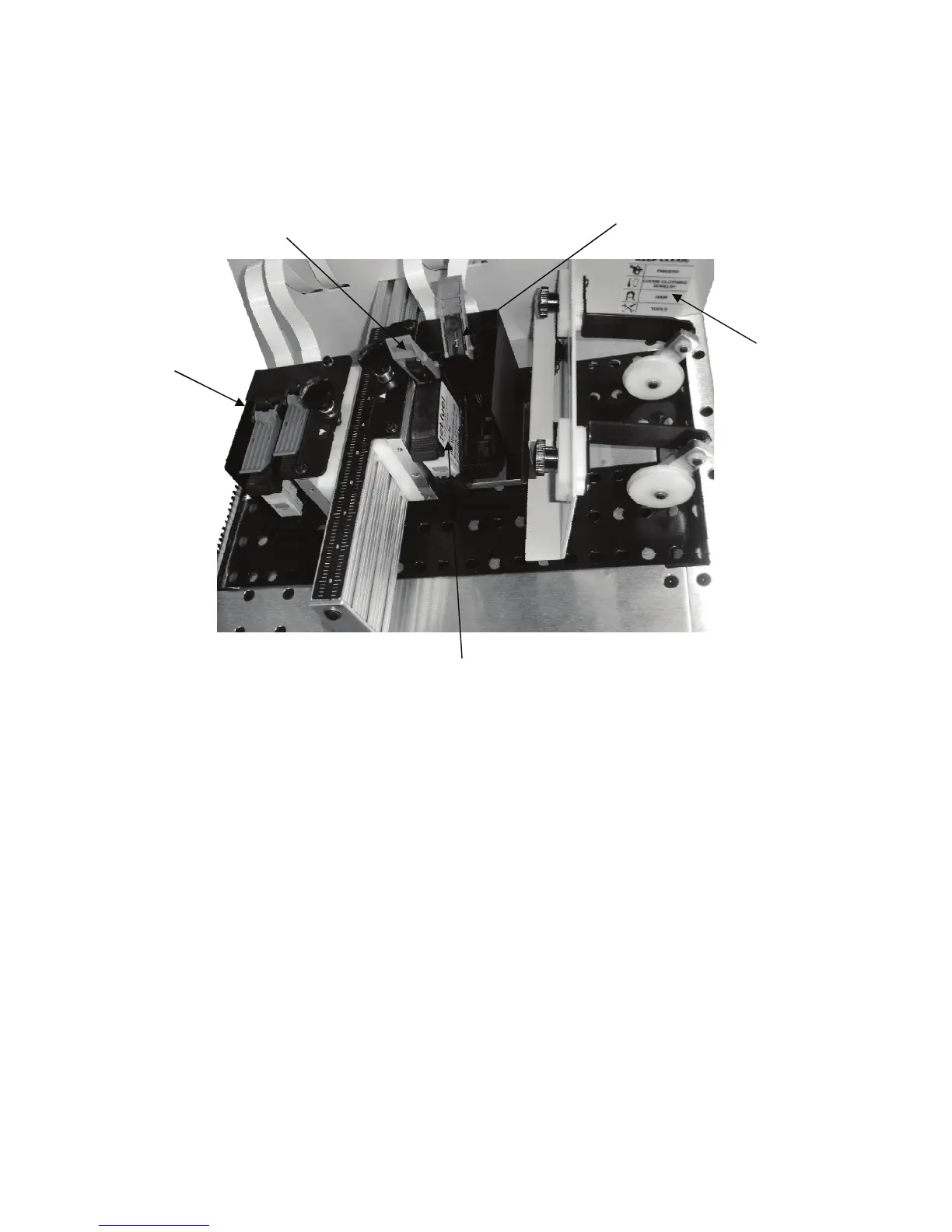
Ink Cartridge ( Pen)
Imager 2 Pens
3&4
Pen Stall Latch caught on pen
Open Latch Pen catch
exposed
Warning
decal
To insert a cartridge (pen) without moving the imager on its slide follow
this procedure. Use only the type and brand of ink specified with your
printer. Other inks will fit the machine (all HP 45A’s), but print quality and
de-cap performance will vary greatly from ink to ink.
1. Turn Transport off, Set feed speed to OFF
2. Open cover.
3. Note where the imagers in case you move one of them.
4. Lift the pen latch and pull the pen straight up and out of the pen stall.
5. Slide the new pen partially into the stall and rock it away from the op-
erator.
6. Allow the Catch on the pen latch to strike the boss on the pen and by
closing the latch, seat the pen accurately and securely. Seating the
pen fully before closing the latch is not recommended, let the latch do
the work.


 To Next Page