Installation & Operation Manual - Model AVC5000
Contents of this Manual are Subject to Change Without Notification Page 38
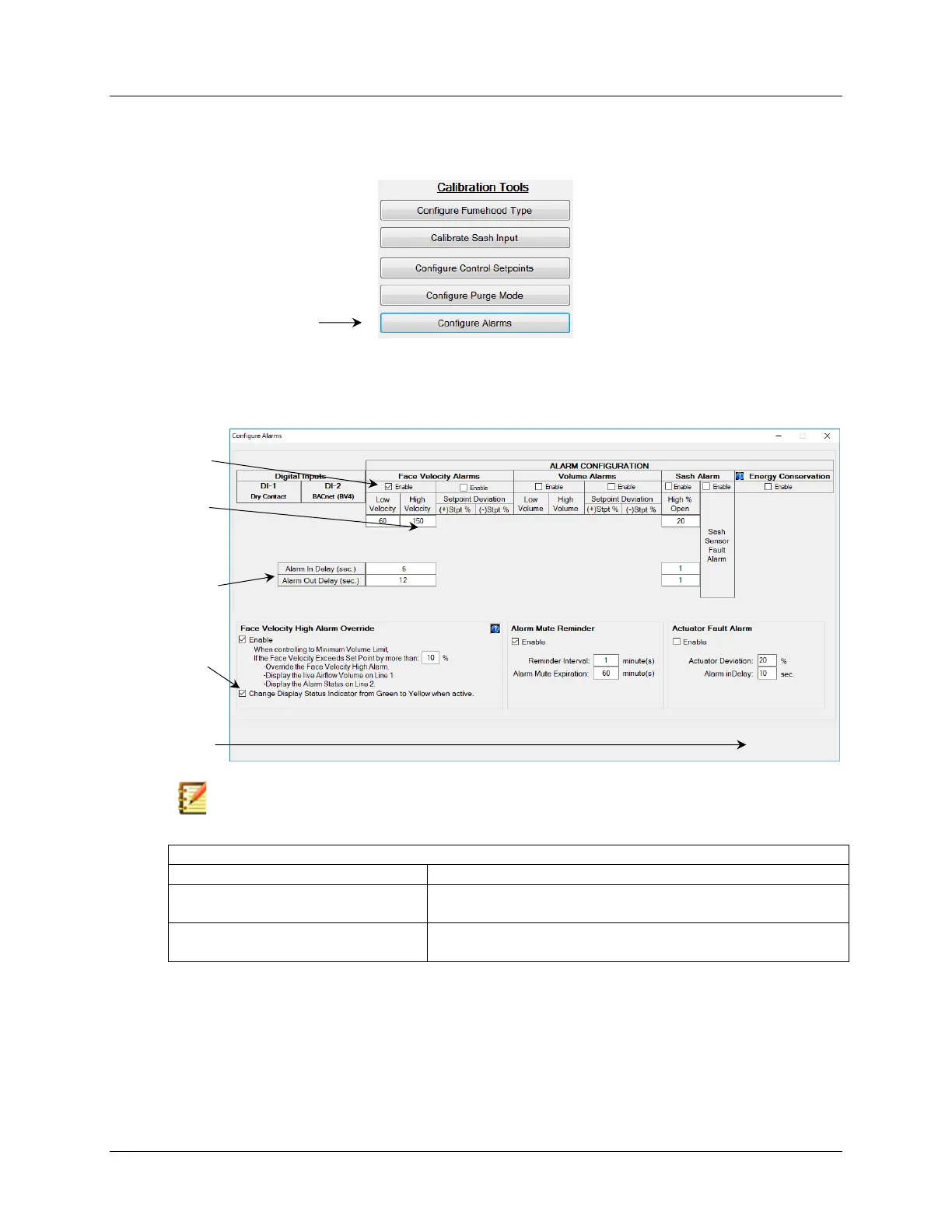
6.6.4.2.5.9 Examples of How to Configure Alarms
There are many different alarms and alarm parameters available, however the same basic
configuration steps are similar therefore only two examples have been provided below.
Example 1
Control Configuration = No Setback, Digital Inputs are Not Used
Alarm Configuration = Enable Low/High Face Velocity Alarm, Other Alarms Disabled
Note: Time delays are used to eliminate false triggering and nuisance alarms.
6 seconds after Face Velocity is drops below 60 FPM, the Low
Velocity Alarm will enter into its Alarm State
12 seconds after Face Velocity goes above 60 FPM, the Low
Velocity Alarm will return to its Normal State



 To Next Page