Installation & Operation Manual - Model AVC5000
Contents of this Manual are Subject to Change Without Notification Page 51
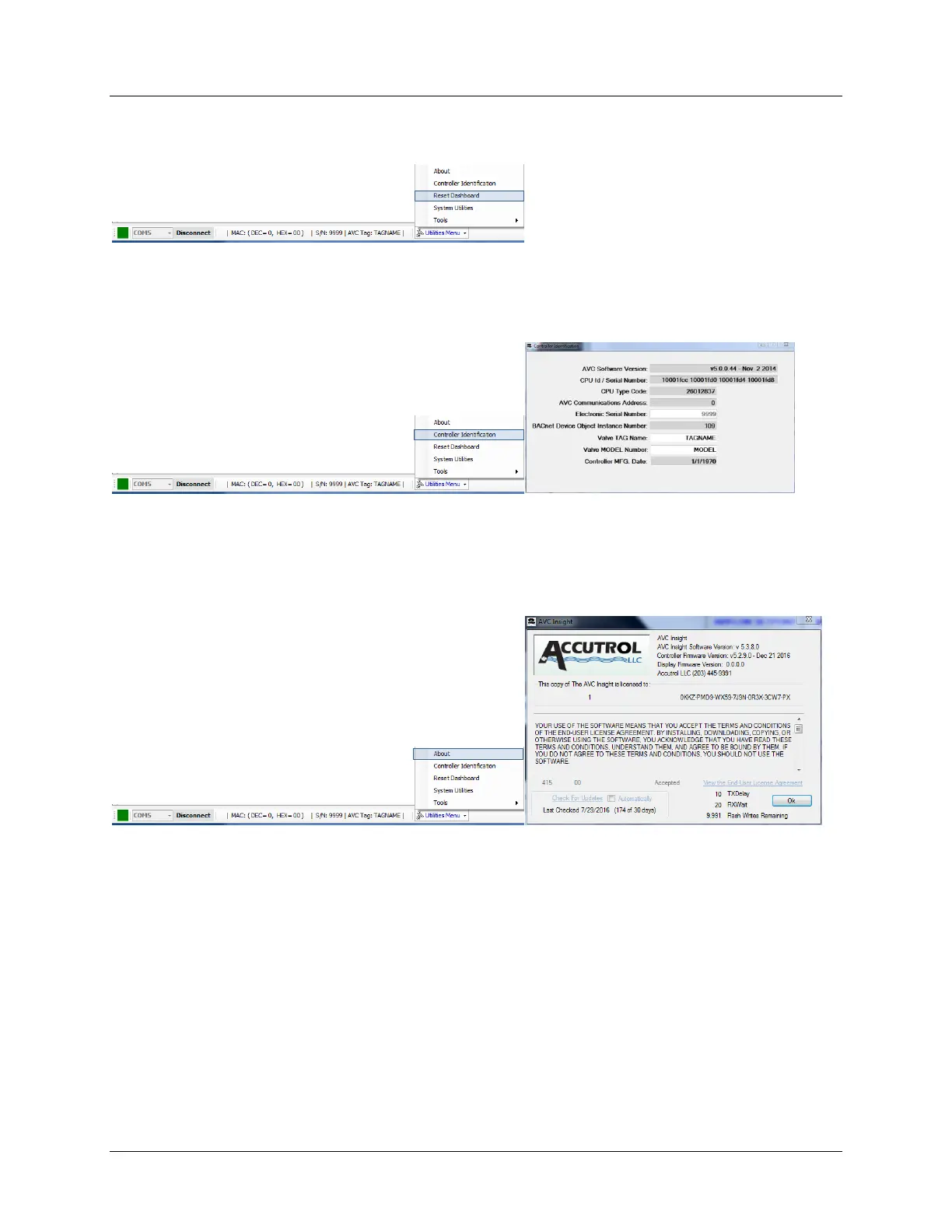
6.6.10.1.3 Reset Dashboard
Selecting “Reset Dashboard” will restore all the Dashboard objects to their factory default
positions.
6.6.10.1.4 Controller Identification
The “Controller Identification” window provides all of the AVC identification data which are
stored in nonvolatile memory. All of the fields in the Controller Identification window are “read
only” with the exception of the “Controller TAG Name”, which can be modified at the job site.
6.6.10.1.4 About
Selecting “About” provides the software versions for the AVC Insight User Interface Software,
the firmware version of the connected AVC5000 controller and AFC5000 display (if connected)
and the connected controllers number of Flash Writes remaining. A check box is also provided
to automatically check for Insight updates.



 To Next Page