Installation & Operation Manual - Model AVC5000
Contents of this Manual are Subject to Change Without Notification Page 60
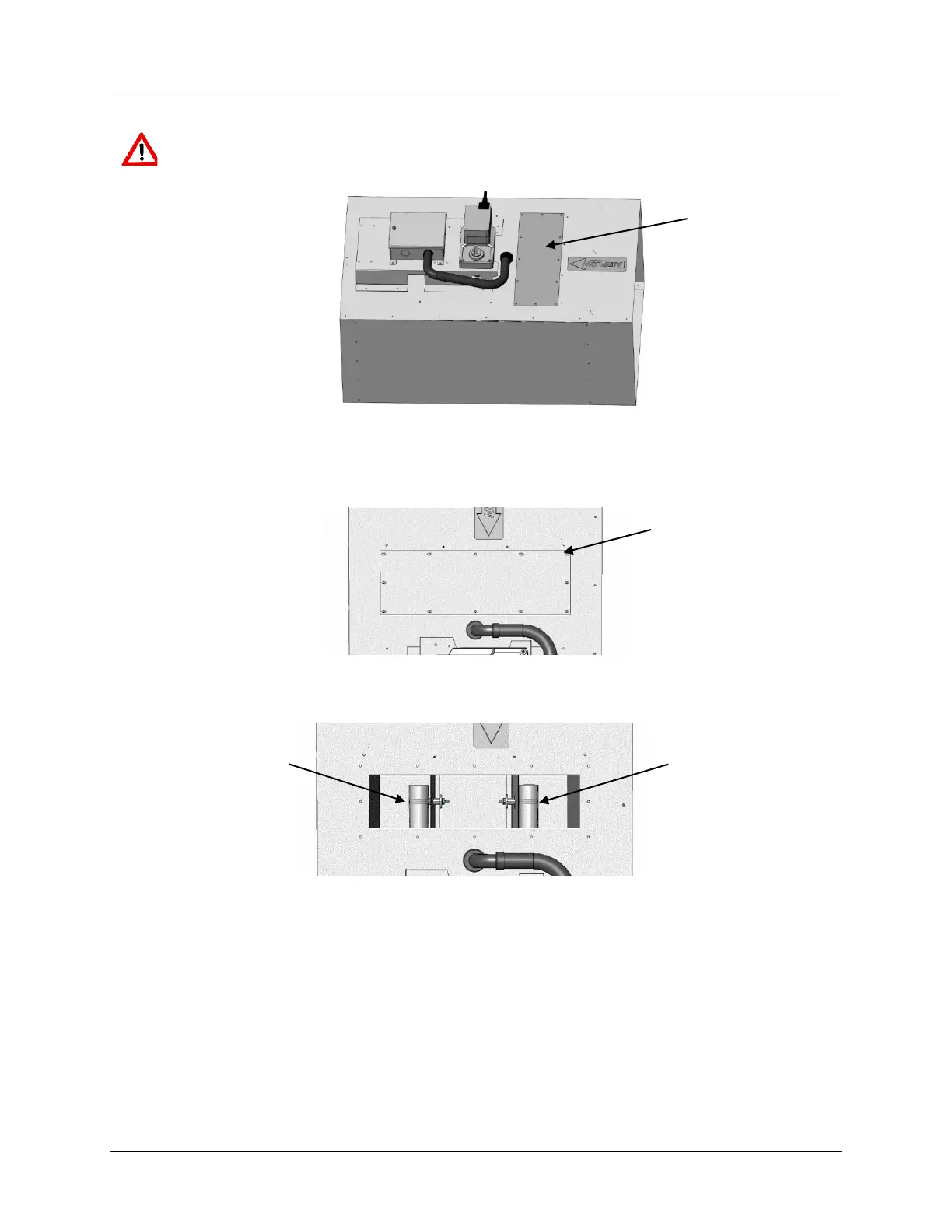
8.2 Rectangular Valve Access Cover
CAUTION: Wear eye protection, cut-resistant gloves and clothing suitable for working
with sheet metal. Failure to do so may result in personal injury.
8.2.1 The access cover is secured to the valve using (12) Tek-Screws. Remove the (12) Tek-
Screws using a 5/16” socket and put the screws aside for reinstalling the cover later.
8.2.2 Remove the access cover from the valve.
8.2.3 Once the cover is removed the sensors are accessible for inspection.
8.2.4 When inspection is complete, place the access cover in position and secure using the (12)
screws previously removed.



 To Next Page