the root directory.
If the erro
indicates th
contact the
General Problems
ge is created.
The Damage of the Digital Pad — the Error Code E03 or E05
r code E03 or E05 appears on the display of the digital pad, it
at the digital pad may be damaged. It needs to be repaired. Please
ACECAD distributor.
Troubleshooting
Problem: A superimposed digital pa
Solution: Make sure to select a blank digital page each time you change a
page on paper.
Problem: Minor lengthened or shortened digital ink strokes occur
Solution: Write a little bit slowly or harder.
Problem: Significant missing, twisted, lengthened or shortened digital ink
strokes occur.
Solution: Please check the following situations for the digital pen:
the pen.
to the battery compartment with
fact, such
cushion will remain at its original
se press the
e until it snaps into
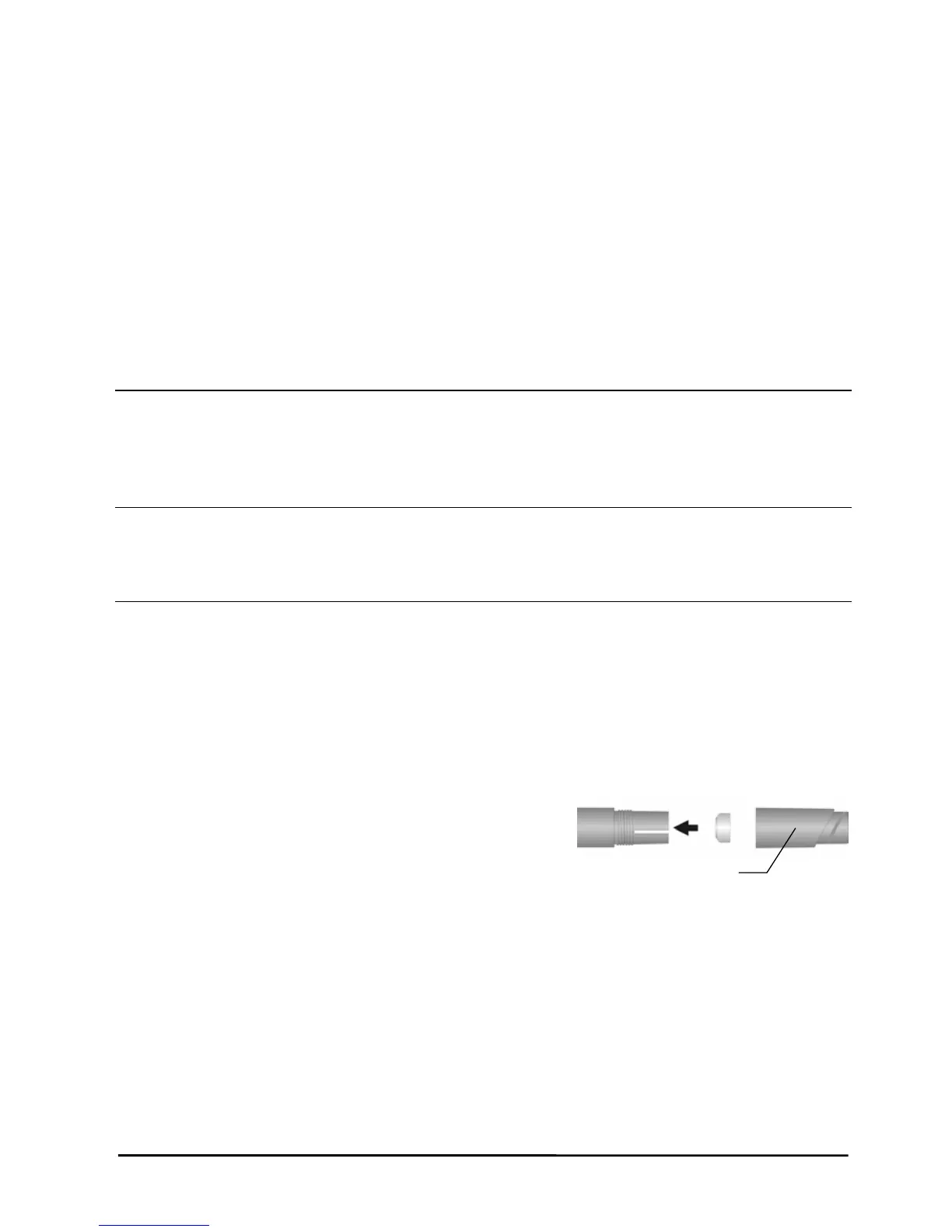
z The battery is correctly installed in
z The battery must be inserted in
the negative (-) cap facing the battery compartment.
z The cushion (copper color) of
the battery is still located inside
the barrel cover. In
Barrel Cover
position unless it is improperly
removed.
z The barrel cover is screwed tightly onto the barrel of the pen.
z Once the battery inside the digital pen has been used for a long
time, it should be replaced with a new one.
z If you just replace an ink cartridge of the pen, plea
new cartridge tip firmly against a hard surfac
place.
Please verify that the thickness of paper is under the writing
35


 To Next Page