Converting Your Handwritten Notes in Your e-Book
e
Fil
1. cognition
software, cli
If you have installed the optional DigiMemo Handwriting Re
ck the Conversion button
on the Standard
re window of DigiMemo Manager.
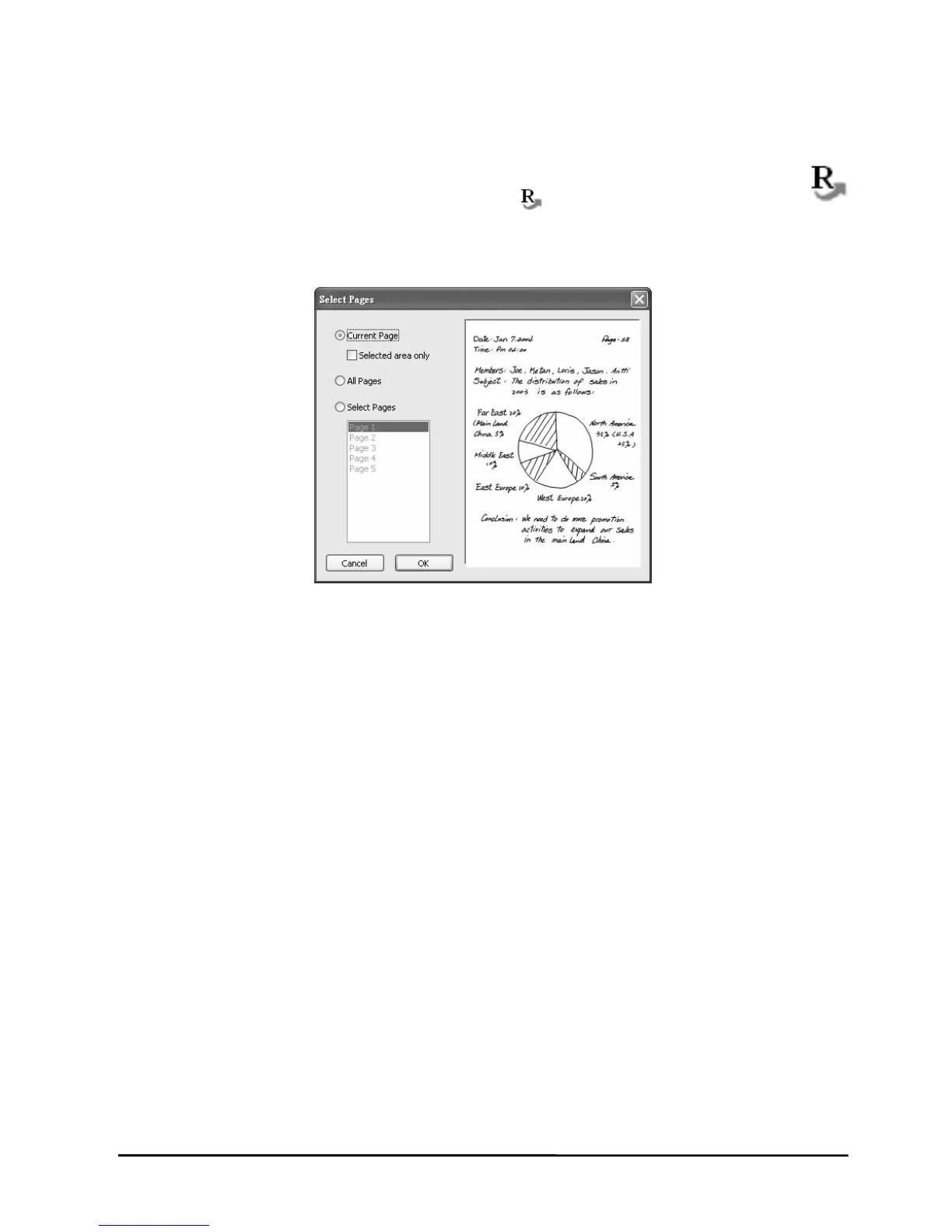
box, select the following one option button:
t Page
you can choose the Selected area only
Pages
ct several pages by using CTRL or SHIFT
toolbar
in the softwa
2. In the dialog
z Curren
In this option, check box.
z All Pages
z Select
You can sele key with mouse
clic
3. Click O area will be imported into the DigiMemo
Using A
If you have n organize
your digita mory card
Ea Files
to
dev y card
k.
K. The selected pages or
Handwriting Recognition software.
nother Optional Card Reader
another optional card reader for SD memory card, you ca
l page or other computer files in the optional SD me
through this card reader.
sily Managing Digital Page
When connecting the digital pad to your computer, the removable s
ice, such as the built-in 32 MB storage device or the optional memor
rage
27


 To Next Page