EasyManua.ls Logo

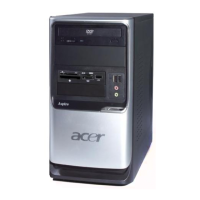
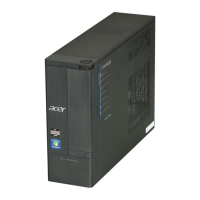
Acer Aspire SA80 - User Manual

Acer Aspire SA80
102 pages
Print Icon
To Next Page IconTo Next Page
Loading...
Aspire SA80
AcerPower S280
Service Guide
PRINTED IN TAIWAN
Service guide files and updates are available
on the AIPG/CSD web; for more information,
please refer to http://csd.acer.com.tw

Table of Contents

Questions and Answers

  • C
    Cassandra RodriguezAug 20, 2025
    What to do if Acer Desktop doesn't turn on?
    • L
      Leah ScottAug 20, 2025
      If your Acer Desktop is not turning on when pressing the power switch, ensure the power override switch (situated at the back of the machine, just above the connector for the power cable) is not set to OFF. The issue may also be with the power switch cable assembly.
  • M
    Melanie RamosAug 22, 2025
    Why Acer Desktop has no power?
    • P
      parkjamesAug 22, 2025
      If your Acer Desktop has no system power, or the power supply fan is not running, the issue may be with the Power Supply or the System Board.
  • C
    Christopher CostaAug 25, 2025
    What to do if I have a PS/2 Keyboard Error on my Acer Aspire SA80?
    • M
      millerjohnAug 25, 2025
      To resolve a PS/2 keyboard error on your Acer Desktop, or if the keyboard is not connected, the PS/2 keyboard interface is showing an error, or the PS/2 keyboard is locked, try reconnecting the PS/2 keyboard and mouse. If that doesn't work, load the default settings in BIOS Setup. The issue may also be with the PS/2 keyboard, mouse, or the system board.
  • M
    melissavasquezAug 26, 2025
    What to do if Acer Desktop shows a RAM Parity Error?
    • J
      Jeremy PattersonAug 26, 2025
      If your Acer Desktop displays a 'RAM Parity Error', you can enter BIOS Setup to disable the parity check. The error may also be caused by the memory module or the system board.
  • C
    Crystal LongAug 28, 2025
    How to fix IDE Drive errors on Acer Aspire SA80 Desktop?
    • H
      hancocktimothyAug 28, 2025
      To fix IDE Drive errors (0, 1, 2, or 3) on your Acer Desktop, first load the default settings in BIOS Setup. Then, check the IDE drive jumper, the IDE hard disk drive power, the IDE hard disk drive cable/connection, and finally the IDE hard disk drive itself.
  • J
    Jonathan SimpsonAug 30, 2025
    What to do if Acer Aspire SA80 doesn't turn off after software shutdown?
    • E
      ebrewerAug 30, 2025
      If your Acer Desktop isn't turning off when you use the software shutdown from the Windows98 Start menu (and only turns off when pressing the power switch), try loading the default settings. If that doesn't work, reload the software from the Recovery CD.
  • P
    Patrick RoySep 1, 2025
    How to resolve Equipment Configuration Error on Acer Aspire SA80?
    • R
      Robert MacdonaldSep 1, 2025
      To resolve an Equipment Configuration Error on your Acer Desktop, ensure the system configuration set in BIOS Setup is correct and load the default settings in BIOS Setup. This error may also be related to the RTC battery or the system board.
  • J
    Jill GordonSep 3, 2025
    How to fix IRQ Setting Error on Acer Aspire SA80?
    • N
      Nancy MillerSep 3, 2025
      To resolve an IRQ Setting Error, Expansion ROM Allocation Fail, I/O Resource Conflict(s), or Memory Resource Conflict(s) on your Acer Desktop, load the default settings in Setup. Also, enter BIOS Setup and set the Reset Resource Assignments of the PnP/PCI Options to Yes, then reboot the system. If the issue persists, remove all adapter cards that are NOT factory-installed, then reboot the system.
  • K
    Kyle RoweSep 5, 2025
    How to fix System Management Memory error on Acer Desktop?
    • J
      Juan Harvey Jr.Sep 5, 2025
      If your Acer Desktop shows a 'System Management Memory Bad Memory Error at MMMM:SSSS:OOOOh', insert the memory modules in the DIMM sockets properly, then reboot the system. The issue may also be with the memory module or the system board.
  • C
    Cynthia WilkinsSep 7, 2025
    How to resolve PCI Device Error on Acer Aspire SA80 Desktop?
    • T
      tanyafernandezSep 7, 2025
      To fix a PCI Device Error on your Acer Desktop, load the default settings in Setup. You can also enter BIOS Setup and set the Reset Resource Assignments of the PnP/PCI Options to Yes, then reboot the system. If the problem continues, remove all adapter cards that are NOT factory-installed, then reboot the system.

Summary

Chapter 1 System Specifications

Chapter 1 Software Utilities: eRecovery and Disc-to-Disc

Chapter 2 System Utilities

Chapter 3 Machine Disassembly and Replacement

Disassembly Preparation, Tools, and Procedures

Required tools, preparation steps, and detailed instructions for disassembling the computer.

Chapter 4 Troubleshooting

Understanding Power-On Self-Test (POST)

Explanation of the POST process, its components, and failure indicators.

Diagnosing POST Errors and System Symptoms

Guidance on identifying and resolving common error messages and system malfunctions.

Chapter 5 FRU (Field Replaceable Unit) List

Exploded Diagram and Detailed Parts List

Visual guide of components and comprehensive list of all replaceable parts with part numbers.

Acer Aspire SA80 Specifications

General IconGeneral
ProcessorIntel Pentium 4
Processor Speed2.8 GHz
Optical DriveDVD-ROM
Operating SystemWindows XP Home Edition
NetworkIntegrated 10/100 Mbps Ethernet
RAMUpgradable to 2 GB
GraphicsIntegrated Intel GMA 900
AudioAC'97 Audio
Hard Drive7200 RPM
USB Ports6 USB 2.0 ports (2 front, 4 rear)
ChipsetIntel 915GV Express

Related product manuals