37
Upgrade Firmware
1.U390 FW update
We must update U390 first, because the U390 firmware is the base of the system.
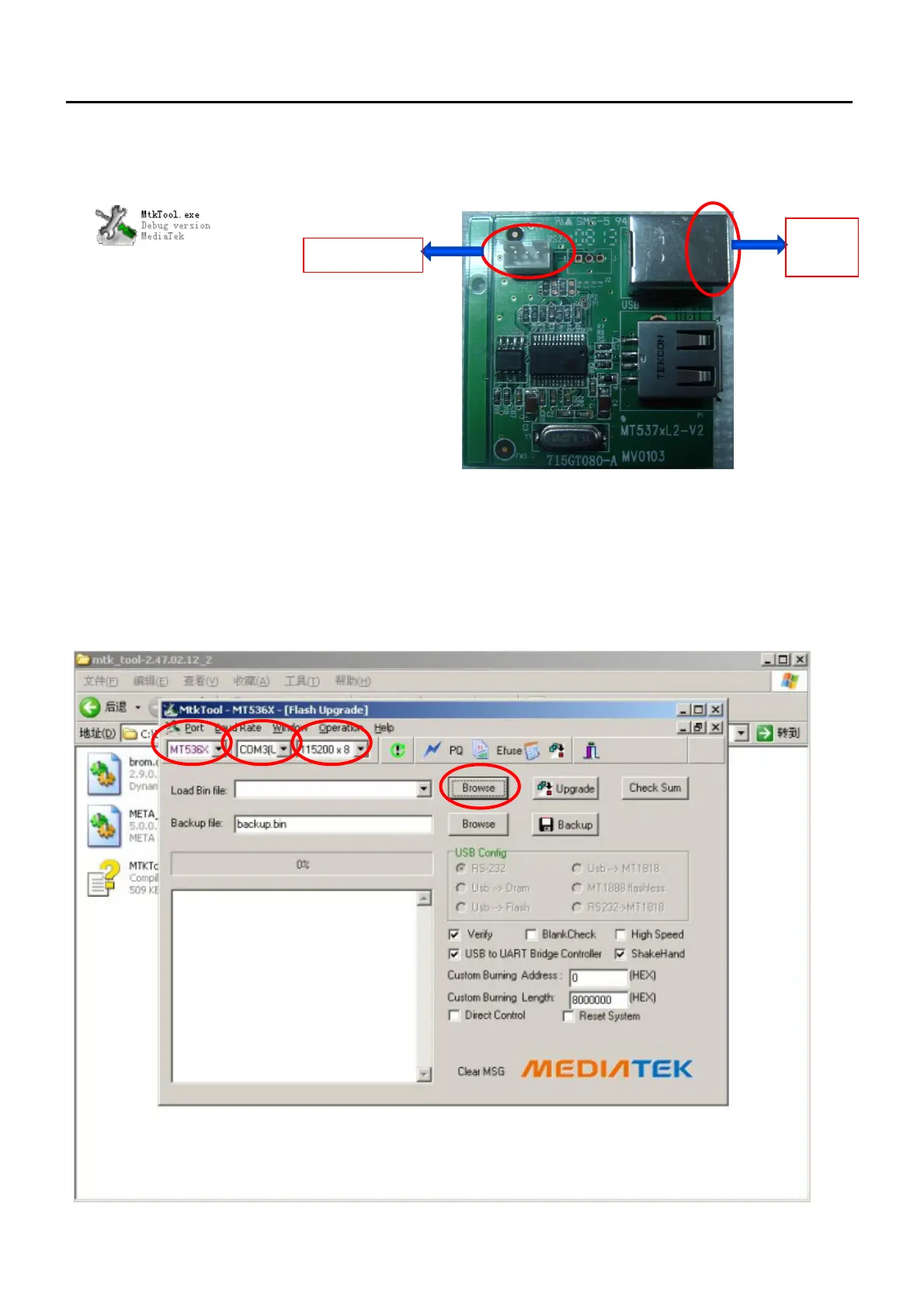
When we update U390,the soft tool is MTK Tool, the hardware tool is 715T080-A
Step1:double-click MTK.exe ,select IC type MT536X,com port is COM3(USB),the baud rate Is 115200.
Step 2: click Browse to load firmware, and click Upgrade to start update firmware.
Hardware tool
Part NO. : 715T080-A
Software tool
Version : mtk_tool-2.47.02.12_2
To TV 3 pin
To PC
USB
Cha
ter 6


 To Next Page