EasyManua.ls Logo

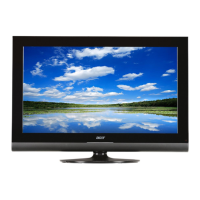
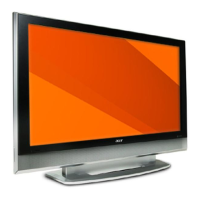
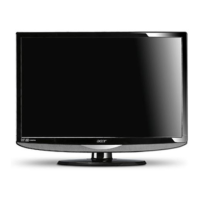
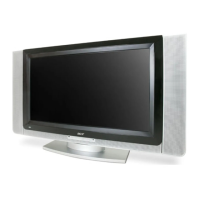
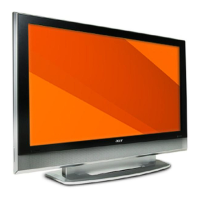
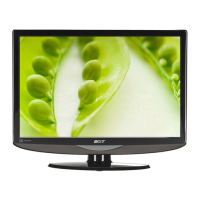
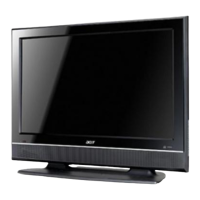
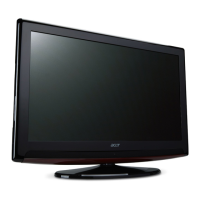
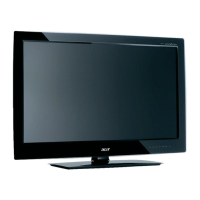
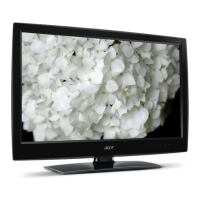
Acer AT3705-MGW - User Manual

Acer AT3705-MGW
36 pages
Print Icon
To Next Page IconTo Next Page
Loading...
Contents
Important safety instructions 3
Disposal instructions 4
First things first 5
Basic features and benefits of your Acer LCD TV 5
Packing checklist 5
Your LCD TV overview 6
Front view 6
Rear panel view 7
Bottom view 7
Remote control 8
General keys 8
Card reader / media gateway keys (for AT3705 MGW only) 9
Teletext & MPX 9
Basic connections 10
Connecting the power cord 10
Setting up the remote control 1
0
Enjoying analog and digital TV 11
Connecting an antenna/cable 11
Getting started watching your TV 1
1
Connecting external audio/video devices 14
Connecting a DVD, VCR or audio/video equipment 14
Connecting a camera, camcorder, video game or headphones 1
5
Connecting a PC or notebook computer 15
Selecting the input source 15
OSD navigation 16
Navigating the OSD with the remote control 16
OSD settings 1
7
Empowering Technology 18
Changing the default setting 18
TV mode 1
9
Media Gateway mode 2
0
Advanced features 21
PIP/PBP/POP 21
Lock TV 2
3
TV ratings (for digital TV mode) 25
Channel list 2
6
Electronic program guide (for digital TV mode) 2
8
Audio effects 3
0
Widescreen display mode 3
1
Dimensions 32
Appendix-Source Options 33
PIP/PBP 33
POP 3
3
Troubleshooting 34
Product specifications 36
AT3705-MGW
AT3705-DTV
Acer LCD TV

Questions and Answers

  • A
    Ashley AlvaradoAug 7, 2025
    Why is the picture not clear on my Acer LCD TV?
    • J
      jeffery24Aug 7, 2025
      If the picture on your Acer LCD TV isn't clear, ensure the antenna cable is properly connected and that your TV signal is being properly received. If you have a VHS camera, camcorder, or other peripheral connected, try switching it off. If you see a 'ghost' or double image, using a highly directional antenna may improve picture quality. If there are horizontal dotted lines, turn off or remove any nearby sources of electrical interference like hair dryers or neon lights.
  • M
    Molly CarrollAug 11, 2025
    What to do if there is no picture or sound on my Acer LCD TV?
    • A
      astoneAug 11, 2025
      If your Acer LCD TV shows no picture or sound, ensure the power cord is properly inserted into the outlet, the input mode matches your selected input, and the antenna is correctly connected at the rear. Also, check that the main power switch is on, the volume isn't at minimum or muted, and headphones are disconnected. Consider that the issue might be related to reception problems.
  • A
    Adam MossAug 15, 2025
    Why does the remote control not work on my Acer LCD TV?
    • A
      aaronperryAug 16, 2025
      If your Acer LCD TV remote control isn't working, first check the batteries. Ensure that the remote sensor window isn't under strong fluorescent lighting. Try cleaning the remote control sensor lens on the TV with a soft cloth. You can also try using the buttons on the TV itself before using the remote control.
  • J
    Julie WoodardAug 20, 2025
    Why is the picture too dark, too light or tinted on my Acer LCD TV?
    • H
      Heather AustinAug 20, 2025
      If the picture on your Acer LCD TV is too dark, too light, or tinted, check the color adjustment, brightness setting, and sharpness function.
  • N
    njohnstonAug 25, 2025
    What to do if I can't find my media files or access online radio on Acer LCD TV?
    • H
      Hayden JohnsonAug 25, 2025
      If you can't find your music, pictures, or video, or access online radio on your Acer LCD TV, first ensure that your media server is switched on and not in Standby mode. Make sure that the eConsole software is running on your PC and that the media server is enabled, giving your TV access to the files. Check your network settings and connections. If using a static IP address, verify the values are in the same range as other network devices and not already in use. Online radio requires a network connection through an AP or router with an open Internet connection.
  • K
    Kristopher BrownAug 28, 2025
    What to do if I am not able to play certain media files on Acer LCD TV?
    • J
      Jesse ClaytonAug 28, 2025
      If you're unable to play certain media files on your Acer LCD TV, verify that the files are in a format supported by the MGW function. Unsupported files may need to be converted before they can be played.
  • M
    manuelwilliamsSep 2, 2025
    What to do if I cannot see a playlist on my Acer LCD TV?
    • J
      Jennifer ClarkSep 2, 2025
      If you cannot see a playlist on your Acer LCD TV, ensure that the playlist is in a shared folder that the TV has access to.

Acer AT3705-MGW Specifications

General IconGeneral
Screen Size37 inches
Brightness500 cd/m²
Response Time8 ms
HDMI Ports2
Display TechnologyLCD
Aspect Ratio16:9
Built-in SpeakersYes
Display Resolution1366 x 768 (WXGA)
Viewing Angle176°
Input PortsComponent, Composite, S-Video, VGA

Related product manuals