39
White-Balance, Luminance Adjustment
Approximately 30 minutes should be allowed for warm up before proceeding white balance adjustment.
YPbPr Mode display adjustment
White balance adjustment (B)
General set-up :
Equipment Requirements: Minolta CA-110 or Equivalent Color analyzer
Quantum Data Pattern Generator 802G , 802BT or equivalent instrument
Input requirements:
Input Signal Type : YPbPr signal
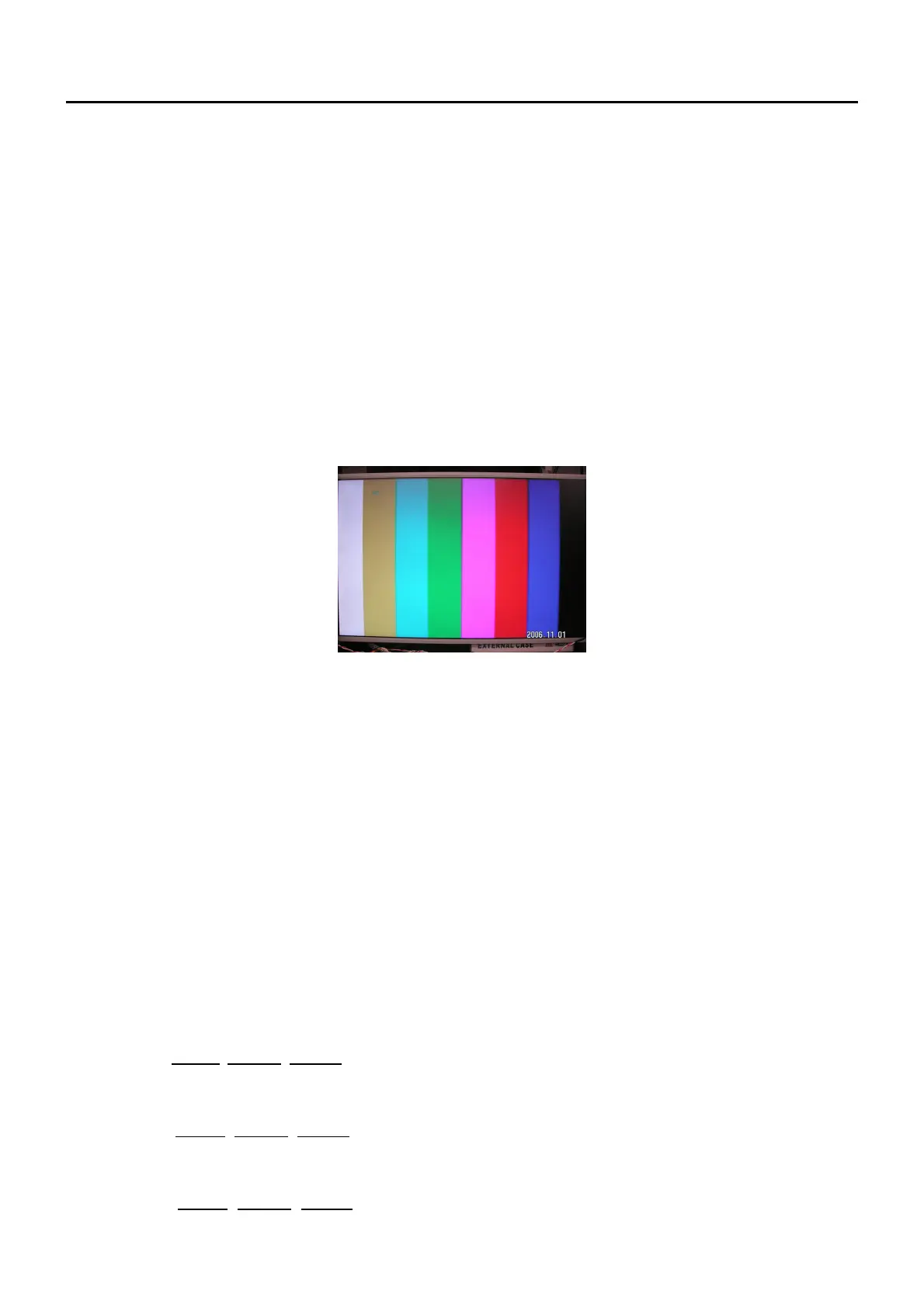
1. 720P mode, TVBar100 pattern by 802G or 802BT.
2. Select Smart picture to User mode and check the x, y data.
Input Signal Strength: 1 Vpp for Y signal ; 700 mVpp for Pb & Pr signal
Input Injection Point: YPbPr (RAC jack)
720P, TVBar100 pattern
Alignment method:
Initial Set-up:
1. Select source as “Component”.
2. Set Smart picture as “User” and to be Contrast =50(TBD) (CMO), Brightness=50(TBD) (CMO), at normal menu
mode.
3. Apply “TVBar100” pattern with color bar pattern by signal generator.
4. Enter factory mode menu: press “MENU+ “234” then enter FAC mode .
Alignment:
1. At FAC mode menu, select FACTORY->Picture ->ADC -> Auto Colour item. Then press “>” key to adjust
ADC_GAIN_R, ADC_GAIN_G, ADC_GAIN_B and ADC_OFFSET_R, ADC_OFFSET_G, ADC_OFFSET_B. Then
store those values to NVM.
White- Balance alignment :
1. Select source as “HDMI1”
2. Apply Flat pattern (100% white pattern), at FAC mode menu, select Factory -> Picture -> Colour Temp item
3. Set color temperature to “Standard”.
4. Adjust the R Gain
, G_Gain, B_Gain values to meet “Standard” color coordinates specification below. Then store
those values to NVM.
5. Set color temperature to “Warm”.
6. Adjust the R Gain
, G_Gain, B_Gain values to meet “Warm” color coordinates specification below. Then store
those values to NVM.
7. Set color temperature to “Cold”.
8. Adjust the R Gain
, G_Gain, B_Gain values to meet “Cold” color coordinates specification below. Then store
those values to NVM.
Cha
ter 7


 To Next Page