3
English
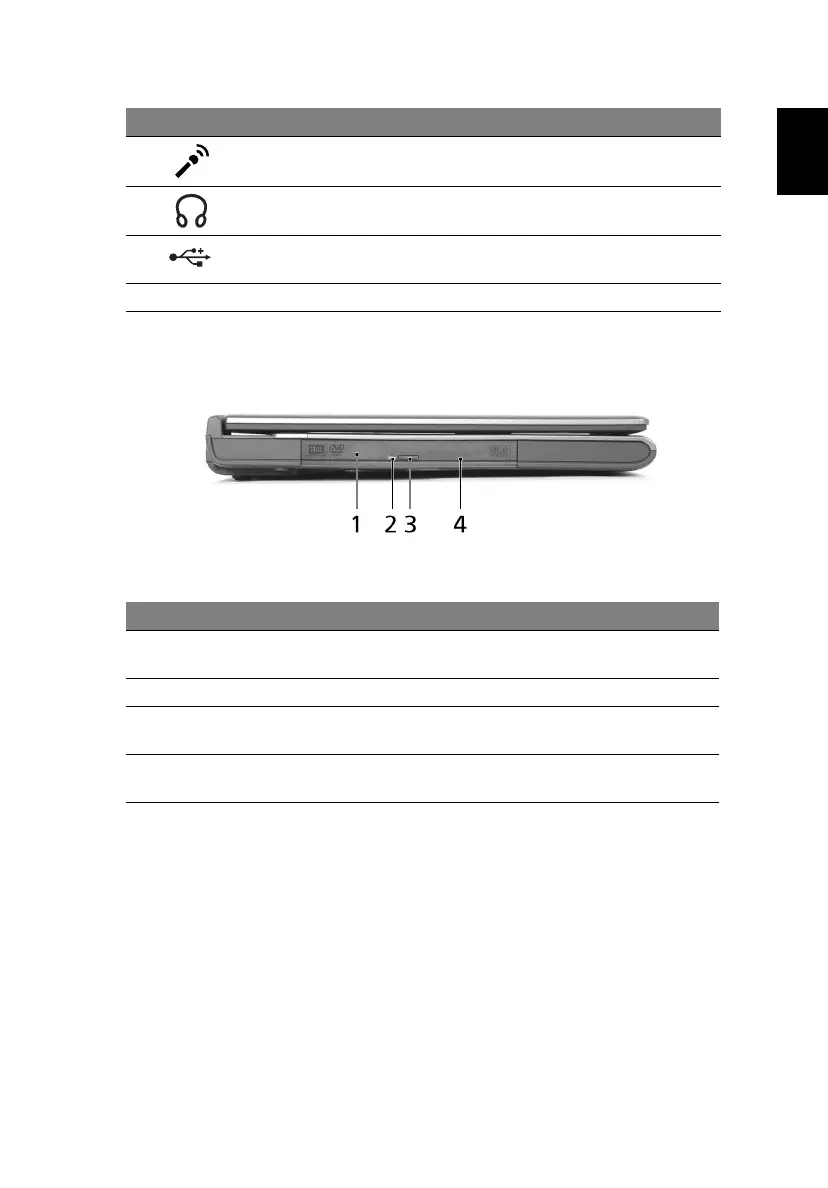
Left view
7 Microphone jack Accepts input from external
microphones.
8 Headphone/speaker/
line-out jack
Connects to audio line-out devices
(e.g., speakers, headphones).
9 USB 2.0 port Connect to USB 2.0 devices (e.g., USB
mouse, USB camera).
10 Latch Locks and releases the lid.
# Item Description
1 Optical drive Internal optical drive; accepts CDs or DVDs
depending on the optical drive type.
2 LED indicator Lights up when the optical drive is active.
3 Optical drive eject
button
Ejects the optical drive tray from the drive.
4 Emergency eject hole Ejects the optical drive tray when the computer is
turned off.
# Icon Item Description





 To Next Page