9
English
Indicators
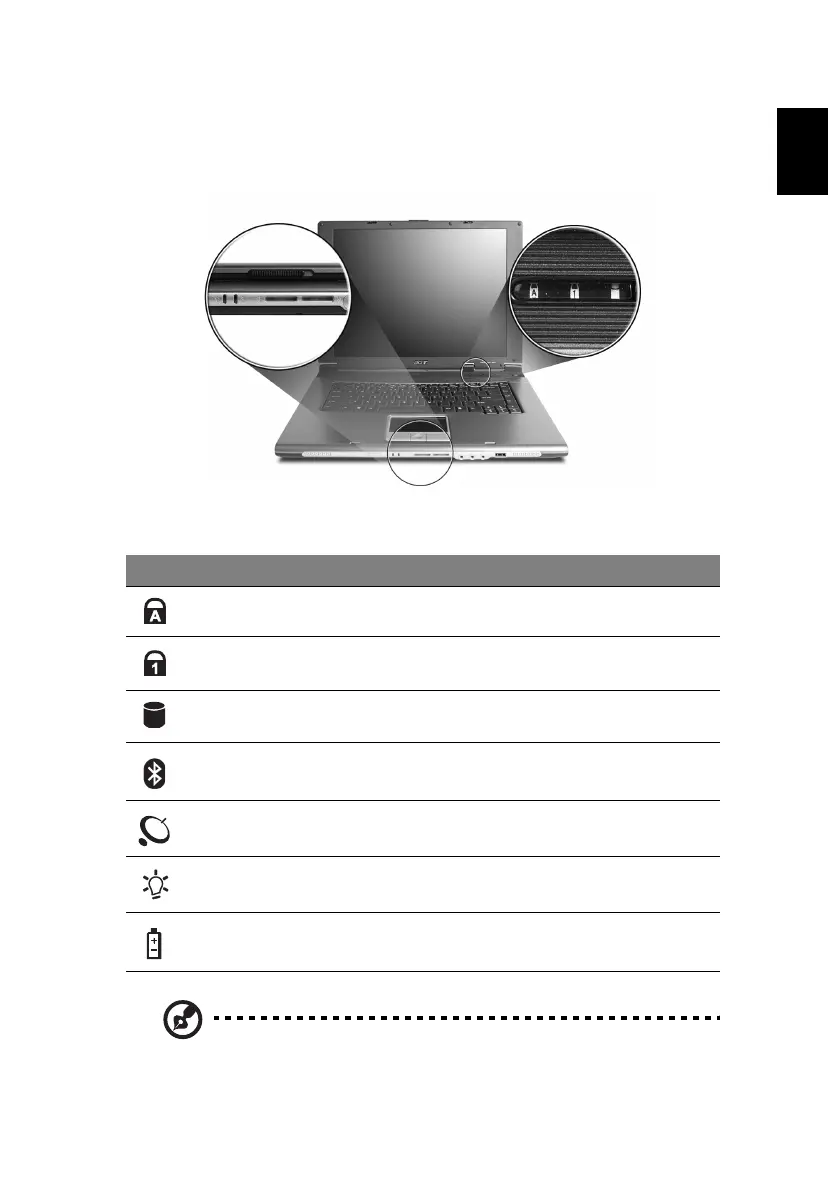
The computer has three easy-to-read status indicators on the upper-right above
the keyboard, and four on the front panel.
The power, battery and wireless communication status indicators are visible
even when the LCD display is closed.
1. Charging: The light shows amber when the battery is charging.
2. Fully charged: The light shows green when in AC mode.
Icon Function Description
Caps Lock Lights up when Caps Lock is activated.
Num Lock Lights up when Num Lock is activated.
Media activity Indicates when the hard disk or optical drive is
active.
Bluetooth Indicates the status of Bluetooth communication.
Wireless LAN Indicates the status of wireless LAN communication.
Power Lights up when the computer is on.
Battery Lights up when the battery is being charged.





 To Next Page